Most account takeovers show no immediate login alerts because attackers reuse your existing session tokens, making the theft invisible until they act.
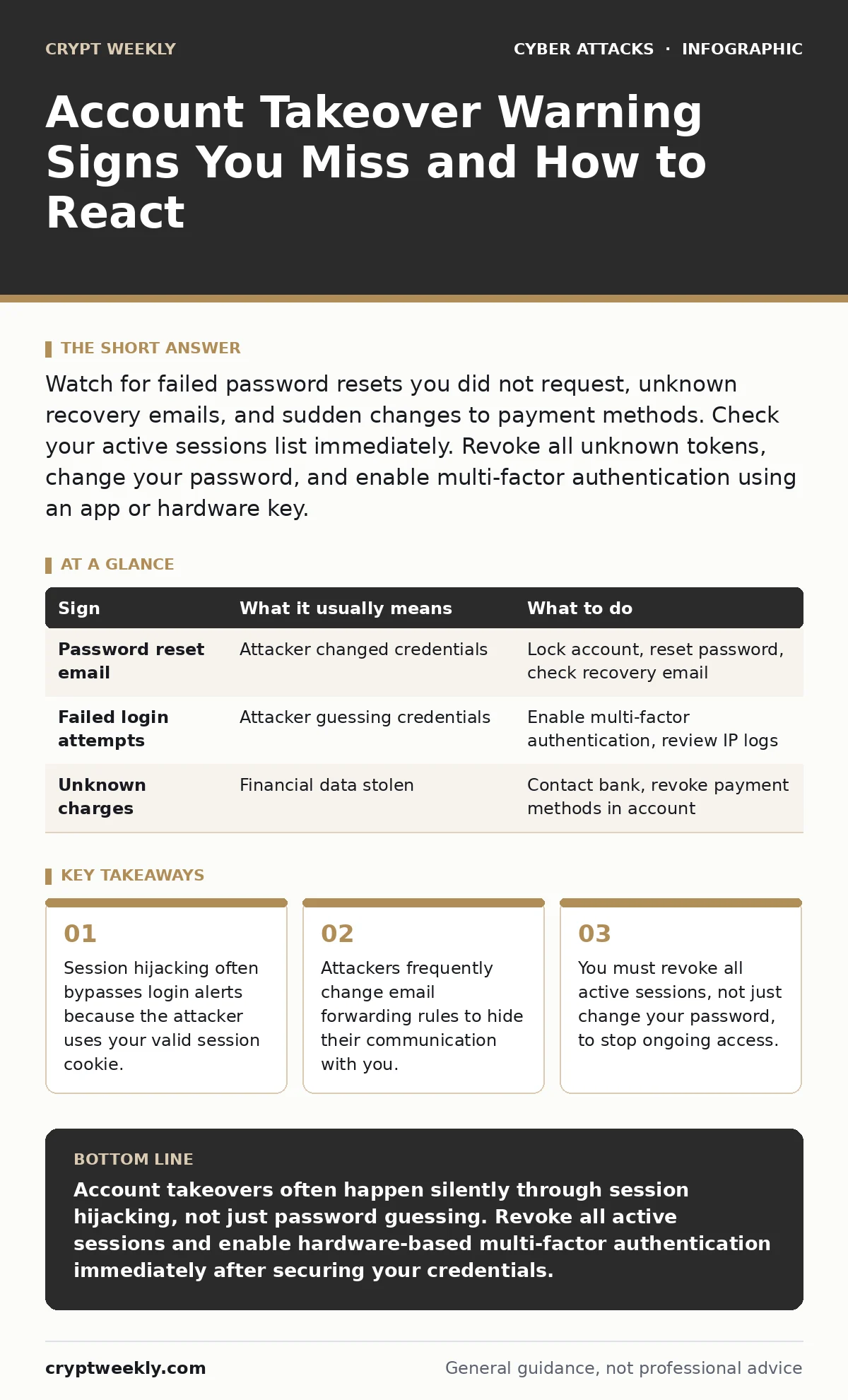
Watch for failed password resets you did not request, unknown recovery emails, and sudden changes to payment methods. Check your active sessions list immediately. Revoke all unknown tokens, change your password, and enable multi-factor authentication using an app or hardware key.
The Silent Entry Point
You assume you will see a notification when someone logs into your account from a new device. That assumption is incorrect. Many services do not alert you for logins that occur within an existing session. An attacker who steals your session token can access your account without entering your password. This is called session hijacking. The service sees the login as continuing your previous activity. You see nothing unusual in your login history. The breach happens in the background.
First Signs That Stand Out
Some indicators are obvious because they trigger immediate alerts or block your access. You try to log in and receive a message that your password is incorrect. You have not changed it. The attacker has changed it. You receive an email confirming a password reset you did not initiate. You see a charge on your credit card for a service you do not use. These signs are loud. They force you to act. You know something is wrong.
| Sign | What it usually means | What to do |
|---|---|---|
| Password reset email | Attacker changed credentials | Lock account, reset password, check recovery email |
| Failed login attempts | Attacker guessing credentials | Enable multi-factor authentication, review IP logs |
| Unknown charges | Financial data stolen | Contact bank, revoke payment methods in account |
Signs That Hide in Plain Sight
The dangerous signs are quiet. They do not trigger alerts. They change how your account behaves. You notice your emails are taking longer to arrive. The attacker has set up a forwarding rule. They send your incoming messages to their inbox. You delete them from yours to hide the trail. You see a new recovery email address in your settings. You did not add it. The attacker adds their own address to receive future reset codes. You notice a new device in your active sessions list. It says "Active now." You are not using it.
The Session Token Trap
Most users focus on passwords. They forget about session tokens. A session token is a digital key that proves you are logged in. It lives in your browser. If an attacker steals this token, they do not need your password. They simply paste the token into their browser. The server thinks they are you. Changing your password does not always invalidate existing tokens. Some systems keep old tokens valid for days. You must manually log out of all devices. You must revoke all active sessions. This forces the server to discard old tokens.
Checking Your Digital Footprint
You need to look beyond the login screen. Check your account settings for changes. Look at the email address on file. Look at the phone number for two-factor authentication. Look at the recovery contacts. Attackers change these first. They want to lock you out completely. They want to receive the password reset codes themselves. If you see a change you did not make, assume the account is compromised. Do not trust the interface. Log out. Use a clean browser. Log back in. Verify every setting.
See also: OAuth Consent Phishing: How Attackers Bypass Login Screens
Responding to the Breach
Speed matters. You must act before the attacker consolidates control. Change your password immediately. Use a unique password. Do not reuse passwords from other sites. Enable multi-factor authentication. Use an authenticator app or a hardware security key. Avoid SMS-based verification if possible. SMS is vulnerable to SIM swapping. Revoke all active sessions. This kills the attacker's access. Check your email forwarding rules. Delete any rules you did not create. Check your connected apps. Remove any unfamiliar applications.
Preventing Future Takeovers
You cannot stop every attack. You can make your account harder to steal. Use a password manager. It generates strong, unique passwords for every site. You do not need to remember them. Enable multi-factor authentication everywhere. It adds a second layer of defense. Even if the attacker has your password, they cannot log in without the second factor. Be careful with links. Phishing attacks trick you into giving up your credentials. Verify the URL before you type anything. Look for subtle differences in the domain name.
The Hidden Cost of Convenience
Single sign-on makes life easier. It lets you log in to many services with one account. It also creates a single point of failure. If the main account is taken over, the attacker gets access to everything linked to it. You must protect the primary account more than the others. Use hardware keys for the main account. Monitor the activity logs closely. The convenience of single sign-on comes with a higher risk. You trade ease of use for a larger attack surface.
Key takeaways
- Session hijacking often bypasses login alerts because the attacker uses your valid session cookie.
- Attackers frequently change email forwarding rules to hide their communication with you.
- You must revoke all active sessions, not just change your password, to stop ongoing access.
Account takeovers often happen silently through session hijacking, not just password guessing. Revoke all active sessions and enable hardware-based multi-factor authentication immediately after securing your credentials.
Frequently asked questions
Does changing my password log out the attacker?
Not always. Some systems keep old session tokens valid. You must manually log out of all devices or revoke sessions in your account settings to ensure the attacker is disconnected.
Why did I not get an alert for the login?
If the attacker used your existing session cookie, the server sees the activity as your own. No new login event occurs, so no alert is triggered.
Is SMS two-factor authentication safe?
It is better than nothing, but it is vulnerable to SIM swapping and interception. An authenticator app or hardware key is much more secure because the code never leaves your device.
How do I know if my email is forwarded without my knowledge?
Check your email settings for forwarding rules or filters. Look for rules that move messages to trash or archive. Delete any rules you did not create yourself.
How this guide was produced: written by the Crypt Weekly editorial team with AI assistance, checked against the public references listed below, and reviewed when the facts change. See our editorial policy or report an error.