Most two-factor failures occur because users store backup codes in the same cloud account they are trying to protect, creating a single point of failure.
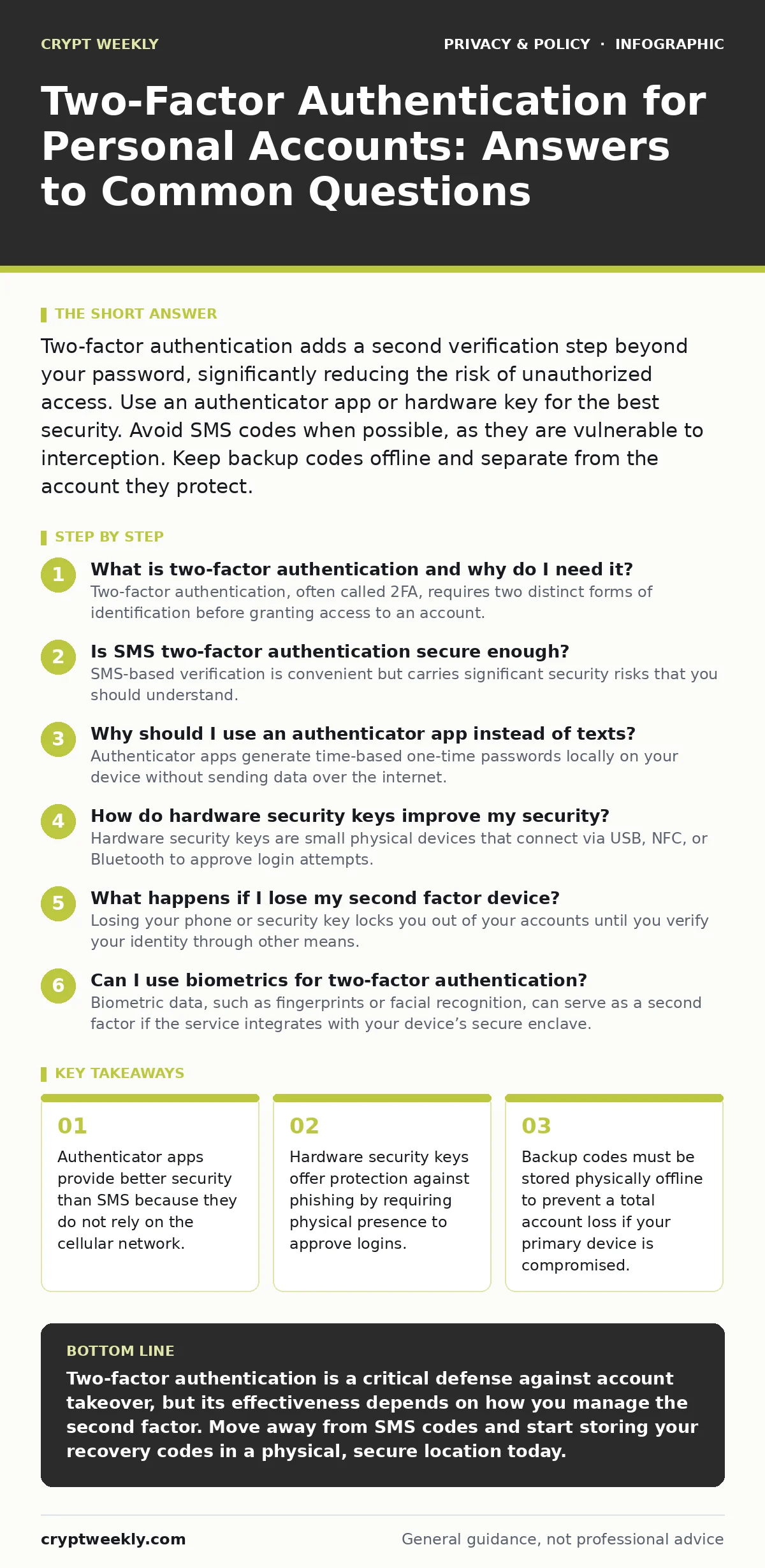
Two-factor authentication adds a second verification step beyond your password, significantly reducing the risk of unauthorized access. Use an authenticator app or hardware key for the best security. Avoid SMS codes when possible, as they are vulnerable to interception. Keep backup codes offline and separate from the account they protect.
What is two-factor authentication and why do I need it?
Two-factor authentication, often called 2FA, requires two distinct forms of identification before granting access to an account. You typically know the first factor, such as a password, and possess the second factor, like a phone or a security key. This layer of defense protects your data even if someone steals your password through a data breach or phishing attack. Without it, a stolen password is often enough for an attacker to take over your identity.
Is SMS two-factor authentication secure enough?
SMS-based verification is convenient but carries significant security risks that you should understand. Attackers can intercept text messages by tricking your mobile carrier into moving your phone number to their SIM card, a technique known as SIM swapping. Because the code travels over the public cellular network, it is exposed to more points of failure than other methods. You should treat SMS codes as a temporary measure while you transition to a more secure option.
Why should I use an authenticator app instead of texts?
Authenticator apps generate time-based one-time passwords locally on your device without sending data over the internet. These codes change every thirty seconds, making them useless to an attacker who intercepts them after the window closes. Since the codes never leave your phone, they are immune to SIM swapping and cellular network interception. This method provides a stronger security posture while remaining free and easy to set up for most services.
How do hardware security keys improve my security?
Hardware security keys are small physical devices that connect via USB, NFC, or Bluetooth to approve login attempts. They use cryptographic protocols to prove your identity without transmitting passwords, making them resistant to phishing attacks. An attacker cannot trick you into logging into a fake site because the key will only sign requests for the legitimate domain. This physical requirement adds a layer of security that software alone cannot replicate.
What happens if I lose my second factor device?
Losing your phone or security key locks you out of your accounts until you verify your identity through other means. Most services provide recovery codes during the initial setup of two-factor authentication. You must store these codes in a secure, offline location, such as a home safe or a locked drawer. If you do not have these codes, you will likely need to go through a lengthy identity verification process with customer support, which may not always succeed.
See also: Public Wi-Fi Finder Apps Exposed and How They Track You
Can I use biometrics for two-factor authentication?
Biometric data, such as fingerprints or facial recognition, can serve as a second factor if the service integrates with your device’s secure enclave. This means the biometric data never leaves your device and is used to unlock the stored credentials locally. While convenient, biometrics can be forced upon you in certain physical situations, unlike a password or key which requires active cooperation. Consider the threat model you are protecting against before relying solely on biometrics.
How do I manage multiple two-factor methods?
Managing different methods for various accounts creates friction and increases the chance of human error. A consistent approach, such using a single authenticator app for all services, simplifies your workflow. You can back up your authenticator data using a password manager that supports encrypted backups. This ensures you can restore your codes if you switch devices, provided you maintain strong security for the password manager itself. For more on managing credentials, see our guide on password managers for families.
| Method | Security Level | Convenience | Phishing Resistance |
|---|---|---|---|
| SMS Code | Low | High | None |
| Authenticator App | Medium | Medium | Low |
| Hardware Key | High | Low | High |
| Biometrics | Medium | High | None |
What are the hidden costs of strict two-factor policies?
Strict two-factor policies can create operational friction that leads to dangerous workarounds. Users may write down codes in insecure places or share accounts to bypass verification steps. Organizations that mandate hardware keys for all employees often face high replacement costs and logistical headaches. For personal use, the cost is primarily time spent managing backups and dealing with locked-out scenarios. Balance security with usability to ensure you actually use the protection you have set up.
How does two-factor authentication relate to privacy?
Two-factor authentication protects the integrity of your account but does not encrypt your data at rest or in transit. It ensures that only you can access your account, but the service provider can still see your data. To protect the content of your communications, you need end-to-end encryption, which keeps data unreadable to everyone except the sender and recipient. For more on securing your messages, see our guide on encrypted email. Additionally, be mindful of mobile app permission abuse, as apps may request access to data unrelated to their function, compromising your privacy even with strong authentication.
Key takeaways
- Authenticator apps provide better security than SMS because they do not rely on the cellular network.
- Hardware security keys offer protection against phishing by requiring physical presence to approve logins.
- Backup codes must be stored physically offline to prevent a total account loss if your primary device is compromised.
Two-factor authentication is a critical defense against account takeover, but its effectiveness depends on how you manage the second factor. Move away from SMS codes and start storing your recovery codes in a physical, secure location today.
Frequently asked questions
Can I use two different phones for two-factor authentication?
Yes, you can set up an authenticator app on multiple devices or use a cloud-synced password manager to share codes, but this increases the attack surface.
What if I forget my password and my two-factor code?
You must rely on the account recovery process, which typically involves security questions, email verification, or submitting government ID to the provider.
Is two-factor authentication mandatory for all accounts?
No, but it is highly recommended for any account that holds sensitive data, such as email, banking, or social media profiles.
Do I need two-factor authentication for my smart home devices?
Yes, smart home devices often connect to your primary accounts, so securing those accounts prevents attackers from controlling your physical environment.
How this guide was produced: written by the Crypt Weekly editorial team with AI assistance, checked against the public references listed below, and reviewed when the facts change. See our editorial policy or report an error.