
Mandatory password rotation pushes users toward predictable patterns, making accounts easier to crack than if they used one strong, unique credential.
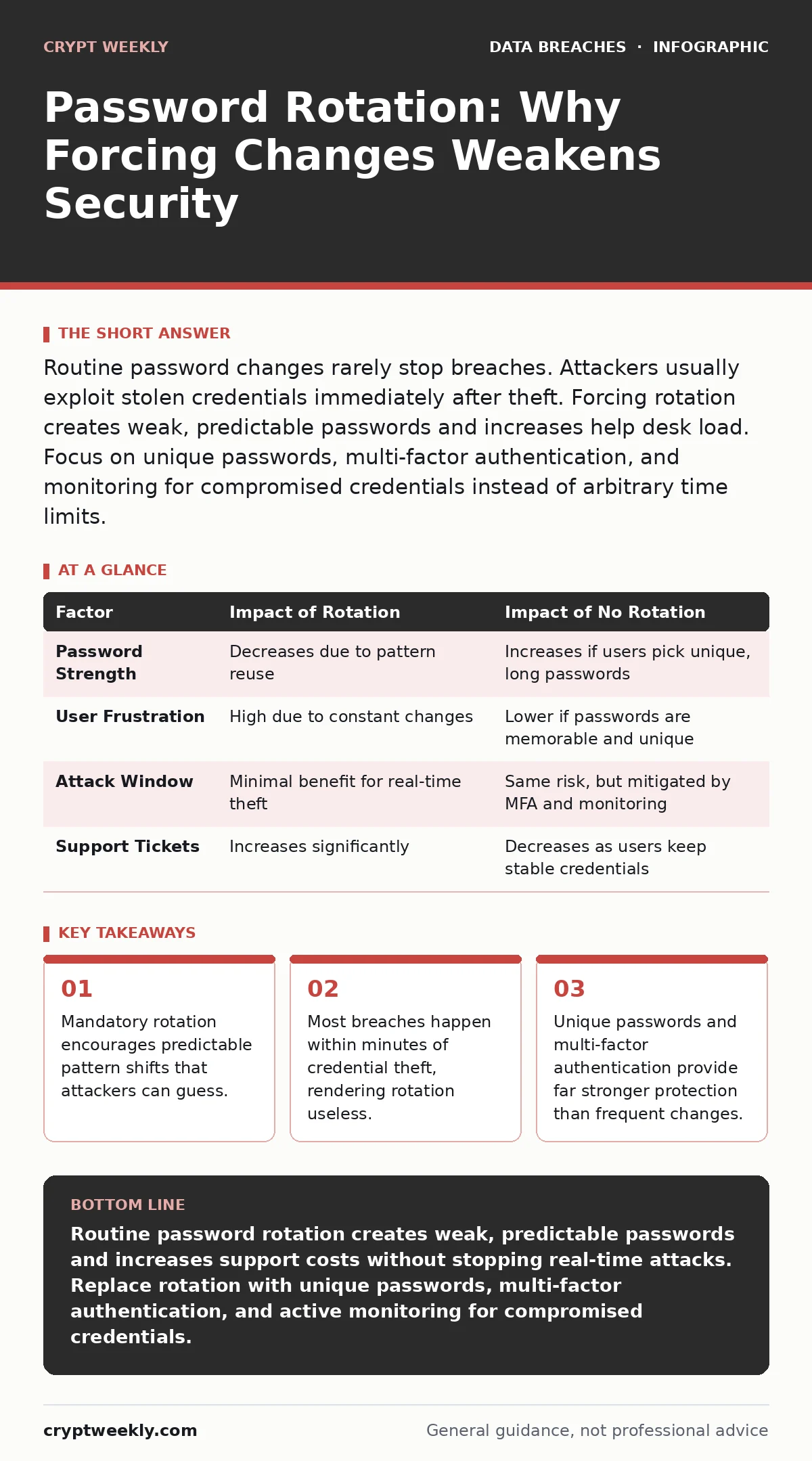
Routine password changes rarely stop breaches. Attackers usually exploit stolen credentials immediately after theft. Forcing rotation creates weak, predictable passwords and increases help desk load. Focus on unique passwords, multi-factor authentication, and monitoring for compromised credentials instead of arbitrary time limits.
Does forcing password changes stop attackers?
No. The primary assumption behind rotation is that you limit the window an attacker has to use stolen credentials. In reality, most credential theft happens in real-time or near real-time. An attacker who steals a password via a keylogger or phishing attack uses it immediately. They do not wait for your next scheduled change. Changing the password later does not undo the damage already done during that initial access.
Why do users create weaker passwords when forced to change them?
Human brains are bad at generating random strings but excellent at finding patterns. When you force a change every ninety days, users often modify the previous password slightly. They might change "Summer2023" to "Summer2024" or replace a vowel with a number. Attackers know this behavior. Their cracking dictionaries include common rotation patterns. You are training users to create passwords that are just slightly different from the last one, which is easy to predict.
What happens to security when passwords rotate too often?
Frequent rotation increases the cognitive load on users. When people cannot remember many complex passwords, they resort to writing them down on sticky notes or reusing the same base password across different sites. Reuse is the single biggest risk in password management. If one site is breached, the attacker tries that same password on your email, banking, and work accounts. Rotation drives reuse, which multiplies the blast radius of any single breach.
How does rotation affect help desk and IT costs?
Resetting forgotten passwords is one of the most common tasks for support teams. When you mandate frequent changes, the rate of forgotten passwords rises sharply. This consumes staff time that could be spent on actual security improvements. It also frustrates employees, leading to workarounds like disabling security prompts or using unofficial password managers. The hidden cost is not just labor; it is the erosion of security culture through annoyance and inconvenience.
| Factor | Impact of Rotation | Impact of No Rotation |
|---|---|---|
| Password Strength | Decreases due to pattern reuse | Increases if users pick unique, long passwords |
| User Frustration | High due to constant changes | Lower if passwords are memorable and unique |
| Attack Window | Minimal benefit for real-time theft | Same risk, but mitigated by MFA and monitoring |
| Support Tickets | Increases significantly | Decreases as users keep stable credentials |
Is there any scenario where rotation makes sense?
Yes, but only when you have evidence of compromise. If you suspect a specific account has been exposed, you must change that password immediately. This is reactive rotation, not proactive. It is also useful in shared accounts where multiple people know the password. In those rare cases, changing the password limits the number of people who can access the account without a formal handoff. For individual user accounts, routine rotation offers no measurable benefit.
See also: Access Reviews That Catch Hidden Risks: 8 Proven Practices · Why Biometric Data Matters for Security Decisions and Risk
What should you do instead of rotating passwords?
Adopt a strategy of unique, long passwords combined with multi-factor authentication. A password manager generates and stores complex, random strings for every account. You only need to remember one master password. Multi-factor authentication adds a second layer, such as a hardware token or authenticator app. Even if an attacker steals your password, they cannot log in without the second factor. This stops the vast majority of automated attacks.
How do you handle shared accounts securely?
Shared accounts are a security anti-pattern. They prevent you from knowing who accessed what. Instead of rotating a shared password, eliminate the shared account. Create individual accounts for each user with appropriate permissions. If you must share access, use a privileged access management solution. These tools provide temporary, audited access without requiring users to know the actual password. This maintains accountability and removes the need for frequent manual changes.
Does this advice apply to all systems equally?
No. High-privilege accounts, such as domain administrators or root users, require stricter controls. However, even for these accounts, routine rotation is less effective than other measures. Use hardware security keys for administrative access. These keys are phishing-resistant and cannot be stolen remotely like a password. Implement strict access reviews to ensure only authorized personnel retain elevated rights. This reduces the attack surface more effectively than changing a complex password every quarter.
How do you monitor for compromised credentials?
You need to know when your passwords appear in public breaches. Many security platforms integrate with breach aggregation services. These services scan the dark web and paste sites for leaked credentials. When your organization's email or password appears, the system alerts you. You can then force a password change for that specific account. This is targeted, evidence-based action. It is far more effective than blindly changing passwords for everyone on a schedule.
What about regulatory requirements for rotation?
Some older standards and regulations still mandate periodic password changes. These rules are based on outdated threat models. Many modern frameworks have removed or relaxed these requirements. Check the specific language of your compliance obligations. If a rule mandates rotation, implement it technically but educate your team on its limitations. Do not rely on it for security. Layer it with multi-factor authentication and anomaly detection to meet the letter of the law while maintaining actual security.
Key takeaways
- Mandatory rotation encourages predictable pattern shifts that attackers can guess.
- Most breaches happen within minutes of credential theft, rendering rotation useless.
- Unique passwords and multi-factor authentication provide far stronger protection than frequent changes.
Routine password rotation creates weak, predictable passwords and increases support costs without stopping real-time attacks. Replace rotation with unique passwords, multi-factor authentication, and active monitoring for compromised credentials.
Frequently asked questions
How often should I change my password if I want to be safe?
Only change your password if you suspect it has been compromised or if the service provider has been breached. Otherwise, keep a strong, unique password indefinitely.
Does multi-factor authentication replace the need for a password?
No, MFA complements the password. The password proves what you know, and MFA proves what you have. Together, they stop attackers who steal one or the other.
What if my company policy requires rotation?
Follow the policy to remain compliant, but use a password manager to handle the complexity. Ensure every new password is unique and never reused.
Can I use the same password for my personal and work accounts?
Never. If your personal account is breached, the attacker will try that password on your work email. Use a password manager to keep them separate.
How this guide was produced: written by the Crypt Weekly editorial team with AI assistance, checked against the public references listed below, and reviewed when the facts change. See our editorial policy or report an error.