Encryption protects your message content in transit, but it does not hide who you contact, when you contact them, or what device you use.
People assume encryption hides everything about their communication. It only scrambles the text. Metadata reveals your social graph, location, and habits. You also risk exposure through screenshots, weak devices, and unverified contacts. True privacy requires managing data beyond the encrypted channel.
Misreading: Encryption Hides Who I Talk To
Correct reading: Encryption scrambles the message body, but it does not obscure the metadata. Metadata includes the sender, recipient, timestamp, and message size. Network observers and service providers see this data clearly. They know you contacted a specific person at a specific time, even if they cannot read the words exchanged. This pattern of life data is often more valuable than the content itself.
Imagine you send a single word at midnight to a known journalist. The content is protected, but the timing and recipient signal urgency or coordination. Law enforcement and adversaries analyze these patterns to build social graphs. They map your connections and predict your movements. Protecting content while exposing relationships creates a false sense of security. You must assume your communication patterns are visible to third parties.
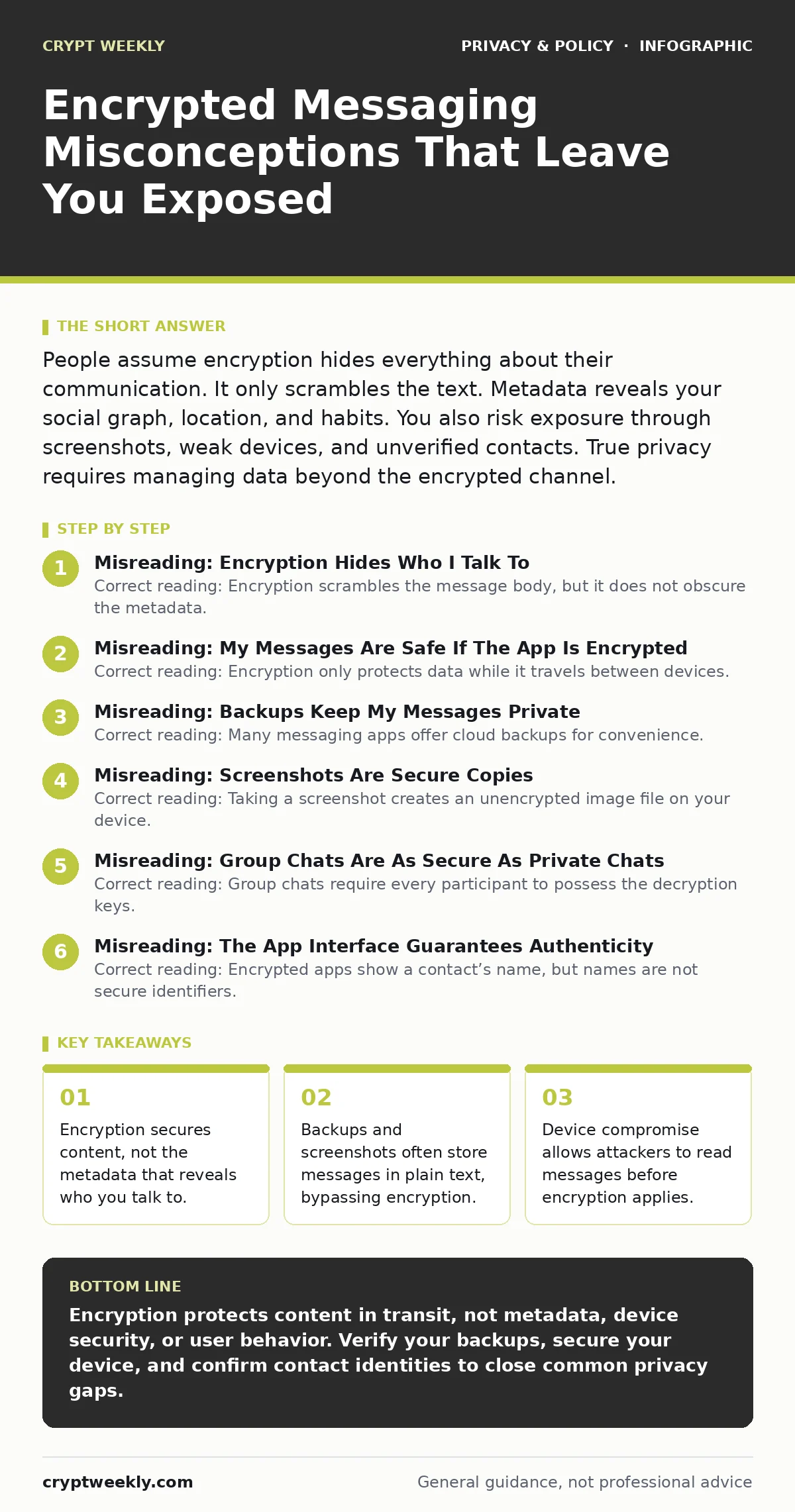
Misreading: My Messages Are Safe If The App Is Encrypted
Correct reading: Encryption only protects data while it travels between devices. Once the message reaches your phone, it decrypts for display. If your device is lost, stolen, or infected with malware, the protection fails. Attackers with physical access can often bypass the app lock. They may extract the decrypted message database from your storage. The security of your messages depends on the security of your device, not just the protocol.
Suppose you install a keylogger that records your screen. The attacker sees every message as you read it. The encryption layer is irrelevant because the data is already plain text on your display. You must treat your device as the weakest link. Use strong device PINs, enable full disk encryption, and keep your operating system updated. A secure app cannot fix a compromised phone.
Misreading: Backups Keep My Messages Private
Correct reading: Many messaging apps offer cloud backups for convenience. These backups are often stored in plain text or encrypted with keys you do not control. If you restore from a backup, your private messages sit on a remote server. The service provider may access them, or attackers may breach the storage. You trade long-term privacy for data recovery. This creates a persistent record of your communications outside the secure channel.
Check your backup settings carefully. Some apps allow end-to-end encrypted backups, where you hold the decryption key. If you lose that key, you lose your data forever. There is no recovery option. Most default settings prioritize ease of use over privacy. Assume any cloud backup is readable by the provider. Delete old backups regularly and avoid storing sensitive conversations in them.
Misreading: Screenshots Are Secure Copies
Correct reading: Taking a screenshot creates an unencrypted image file on your device. This file is accessible to any app with gallery permissions. It may sync to cloud photo services. It can be recovered from deleted files. Sharing a screenshot bypasses all encryption protections. You distribute the content without the security controls of the original app. The recipient of the screenshot can forward it freely.
Imagine you screenshot a sensitive document to analyze it later. That image now exists in your photo roll, potentially backed up to a cloud account. If your phone is seized, investigators find the screenshot even if the app data is wiped. Do not screenshot confidential information. If you must capture data, delete the image immediately after use. Treat screenshots as public data from the moment they are created.
Misreading: Group Chats Are As Secure As Private Chats
Correct reading: Group chats require every participant to possess the decryption keys. This means every member can read, copy, and distribute the messages. If one participant’s device is compromised, the entire group’s history is exposed. You cannot control what others do with the data. Trust in a group chat is limited by the least secure participant. The more people in the chat, the higher the risk of leakage.
Suppose you join a large work group. One colleague uses an outdated phone with known vulnerabilities. An attacker exploits that device and reads all group messages. You are exposed because you trusted the group, not the individual. Use group chats for non-sensitive coordination only. For sensitive topics, use pairwise private chats. Verify each participant’s identity individually. Assume any group member may inadvertently or maliciously share your data.
See also: Public Key Cryptography Explained: How Asymmetric Encryption Works
Misreading: The App Interface Guarantees Authenticity
Correct reading: Encrypted apps show a contact’s name, but names are not secure identifiers. Attackers can impersonate contacts by using their name or a similar handle. This is a man-in-the-middle attack. You may believe you are talking to your friend, but you are actually talking to an adversary. The encryption works perfectly, but you are encrypting messages to the wrong person. You must verify the cryptographic identity of your contact.
Most apps provide a way to compare safety numbers or scan QR codes. This process confirms that both parties share the same encryption keys. Skip this step, and you have no proof of who you are talking to. Do this verification when you first connect and when you change devices. A secure channel to an imposter is worse than no channel at all. Verify identities manually, not just by trusting the app’s display.
Key takeaways
- Encryption secures content, not the metadata that reveals who you talk to.
- Backups and screenshots often store messages in plain text, bypassing encryption.
- Device compromise allows attackers to read messages before encryption applies.
- Trusting the app interface is insufficient; you must verify contact keys.
Encryption protects content in transit, not metadata, device security, or user behavior. Verify your backups, secure your device, and confirm contact identities to close common privacy gaps.
Frequently asked questions
Does encryption hide my location?
No, encryption does not hide your location. Your IP address and device GPS data can reveal where you are when you send or receive messages.
Can I use encrypted apps on a work phone?
You can, but your employer may monitor the device. If they manage the phone, they may access your data or install monitoring software that bypasses app encryption.
Is voice calling as secure as texting?
Voice calling uses the same encryption protocols, but it generates different metadata. Call duration and frequency are visible, and voice biometrics can be used for identification.
Do I need to verify keys for every message?
No, you only need to verify keys when you first connect or when the key changes. Regular verification is tedious and impractical for most users.
How this guide was produced: written by the Crypt Weekly editorial team with AI assistance, checked against the public references listed below, and reviewed when the facts change. See our editorial policy or report an error.