
Revoking location permissions on social media fixes nothing if historical geotags already map your daily routines.
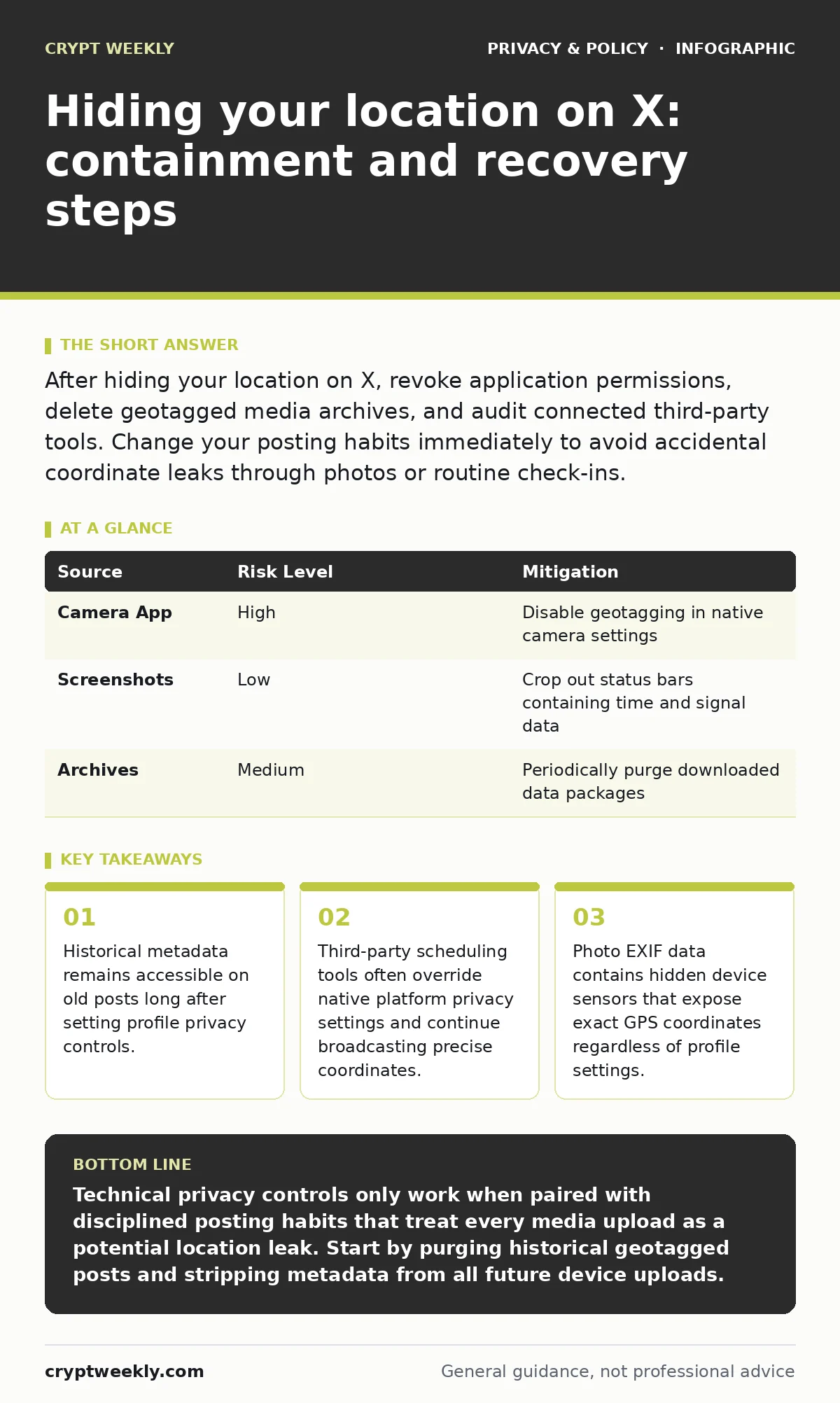
After hiding your location on X, revoke application permissions, delete geotagged media archives, and audit connected third-party tools. Change your posting habits immediately to avoid accidental coordinate leaks through photos or routine check-ins.
First hour
Immediate actions stop active leaks while you assess the exposure window. Locate account settings and disable all location-sharing features across every client application you use.
- Disable precise location tagging in your device operating system settings for the application.
- Revoke OAuth tokens for all third-party dashboard tools and extensions.
- Export your account data archive to inspect historical coordinate exposure.
- Switch your account visibility to protected status temporarily.
Third-party management dashboards frequently cache location data independently of the main platform. Revoking API access prevents these secondary servers from pushing stored location metadata back into your active stream.
First day
Systematic containment requires scrubbing historical content that predates your privacy changes. Old media uploads often retain hidden metadata containing exact device coordinates and timestamps.
- Filter your media tab to identify image uploads containing recognizable landmarks or horizons.
- Delete posts associated with predictable daily schedules such as commuting routes or coffee shops.
- Review connected services that automatically cross-post from fitness trackers or mapping utilities.
Fitness applications often publish real-time maps of your workouts directly to social feeds. Disconnect these integrations immediately to prevent continuous coordinate broadcasting. You might also want to review browser cookies to ensure session tokens are not lingering on shared devices.
First week
Long-term recovery involves shifting operational security habits to prevent future exposure. Metadata leakage happens most frequently when photographs retain embedded exchangeable image file format details.
| Source | Risk Level | Mitigation |
|---|---|---|
| Camera App | High | Disable geotagging in native camera settings |
| Screenshots | Low | Crop out status bars containing time and signal data |
| Archives | Medium | Periodically purge downloaded data packages |
Behavioral consistency matters more than single settings adjustments. Always strip metadata from media files before uploading them to public platforms.
Secondary channels
Attackers correlate social media output with data brokers and public registries to build comprehensive target profiles. Removing your data from people-search sites limits the auxiliary information available for cross-referencing your exposed coordinates.
- Search your handle across cached search engine results to find mirrored content.
- Contact third-party archive projects to request removal of scraped timelines.
- Monitor mentions for specific local references that triangulate your physical presence.
Public archives retain deleted posts indefinitely through third-party scraping operations. Assume that anything published previously remains accessible to dedicated observers regardless of current account settings.
Communication protocols
Informing the right entities depends on the severity of the physical threat posed by the leak. Contact local law enforcement only if you observe credible threats to your physical safety rather than general privacy concerns.
- Document all suspicious interactions with screenshots and exported network logs.
- Notify designated security contacts at your workplace if professional safety is compromised.
- Establish a trusted communication channel with family members that avoids public platforms.
Platform support teams rarely intervene in historical metadata exposures unless direct terms of service violations occur. Rely on self-service deletion tools rather than waiting for manual support responses.
See also: Anti-Facial-Recognition Gear: 6 Costly Mistakes
Preventing recurrence
Stopping a repeat incident requires treating every media file as a potential tracking beacon. Modern smartphones embed precise sensor data into standard image formats by default unless explicitly disabled.
- Strip EXIF tags using local utility tools before attaching images to posts.
- Avoid posting in real-time while physically present at sensitive locations.
- Audit connected applications monthly to catch unauthorized permission creep.
Operational security is an ongoing practice rather than a single configuration task. Consistent habits create friction for anyone attempting to map your physical movements through digital footprints.
Key takeaways
- Historical metadata remains accessible on old posts long after setting profile privacy controls.
- Third-party scheduling tools often override native platform privacy settings and continue broadcasting precise coordinates.
- Photo EXIF data contains hidden device sensors that expose exact GPS coordinates regardless of profile settings.
Technical privacy controls only work when paired with disciplined posting habits that treat every media upload as a potential location leak. Start by purging historical geotagged posts and stripping metadata from all future device uploads.
Frequently asked questions
Does deleting a post remove its location data from search engines?
Search engines eventually drop deleted content, but third-party scrapers and web archives may preserve cached copies indefinitely.
Can photos taken indoors still leak location coordinates?
Indoor photos can reveal precise location data if internal device GPS locks were active or if visible outside landmarks provide triangulation points.
Why do third-party apps continue posting locations after I change settings?
Third-party applications often rely on independent API tokens that require manual revocation directly through security settings dashboards.
Are VPN services effective at hiding location on social platforms?
Virtual private networks mask your Internet Protocol address, but they do not remove explicit GPS coordinates embedded in uploaded media or profile settings.
How this guide was produced: written by the Crypt Weekly editorial team with AI assistance, checked against the public references listed below, and reviewed when the facts change. See our editorial policy or report an error.