
Allowlisting shifts security from reacting to known threats to permitting only verified code, blocking zero-day exploits that bypass traditional signature detection.
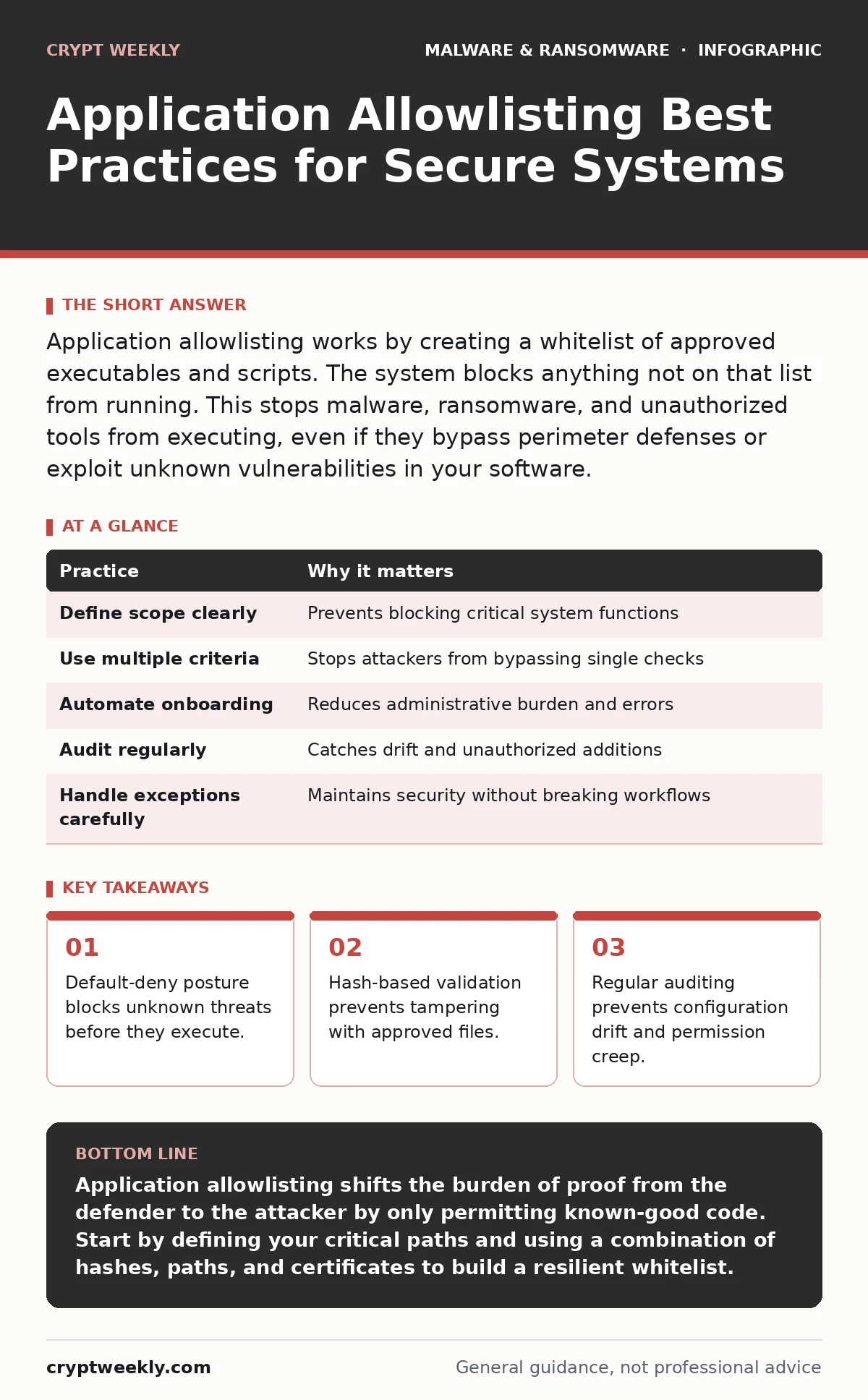
Application allowlisting works by creating a whitelist of approved executables and scripts. The system blocks anything not on that list from running. This stops malware, ransomware, and unauthorized tools from executing, even if they bypass perimeter defenses or exploit unknown vulnerabilities in your software.
The Default-Denial Mindset
Most security tools operate on a default-allow basis. They let everything run until they find something bad. This approach leaves a massive gap for new or modified threats. Application allowlisting flips this model. It assumes everything is hostile until proven otherwise. You define exactly what code is allowed to execute on your systems.
This method is particularly effective against ransomware and other fileless malware. These threats often rely on legitimate system tools to spread. By restricting execution to a known list, you stop the chain reaction before it starts. It complements your ransomware attack chain analysis by cutting off the execution phase entirely.
| Practice | Why it matters |
|---|---|
| Define scope clearly | Prevents blocking critical system functions |
| Use multiple criteria | Stops attackers from bypassing single checks |
| Automate onboarding | Reduces administrative burden and errors |
| Audit regularly | Catches drift and unauthorized additions |
| Handle exceptions carefully | Maintains security without breaking workflows |
1. Define Scope and Critical Paths
You must decide which systems need allowlisting. Applying it to every device at once often causes more problems than it solves. Start with high-value assets like servers and workstations that handle sensitive data. Identify the critical applications these systems need to function.
If you block a core system process, the machine becomes unusable. This creates an immediate support nightmare. Map out the dependencies for your critical applications. Know which helper tools and libraries they require. This prevents accidental lockouts during deployment.
2. Combine Hash, Path, and Certificate Checks
Relying on a single verification method is risky. An attacker can change a file’s hash, move it to a different path, or forge a certificate. Using only one of these controls creates a blind spot. You should combine cryptographic hashes, file paths, and digital signatures.
A hash is a unique fingerprint of a file’s content. If even one bit changes, the hash changes. This detects tampering. File paths restrict where code can run from. Digital signatures verify the publisher’s identity. Layering these checks makes it significantly harder for an attacker to bypass your controls.
3. Automate Application Onboarding
Manually adding every allowed application is tedious and error-prone. It also slows down the adoption of new software across your organization. You need a process that automatically evaluates new software against your security criteria. Use agents that scan and approve applications based on predefined rules.
This automation ensures consistency across all endpoints. It reduces the chance of human error in configuration. It also speeds up the time it takes to secure new devices. Without automation, the policy becomes stale and difficult to maintain.
4. Manage Exceptions with Strict Governance
There will be times when you need to run software not on the allowlist. This might include testing new tools or running legacy applications. Each exception introduces a potential vulnerability. You must treat exceptions as temporary and high-risk.
Require approval from security personnel for any exception. Set an expiration date for that permission. Review these exceptions regularly to see if they are still needed. If an exception becomes permanent, it usually means the underlying application should be formally added to the allowlist.
See also: Antivirus for Small Business: Protection, Costs, and Delegation · Browser Isolation for Small Business: Low Cost Protection
5. Conduct Regular Audits and Reviews
Security policies drift over time. Applications are updated, removed, or replaced. Your allowlist must reflect these changes. Schedule regular audits to review the list of approved applications. Remove entries for software that is no longer in use.
This cleanup reduces the attack surface. It also makes the list easier to manage and understand. Look for anomalies, such as executables running from unusual directories. These patterns often indicate compromised systems or policy violations.
6. Integrate with Broader Security Tools
Allowlisting does not replace other security measures. It works best when combined with other defenses. Integrate it with your antivirus software and endpoint detection systems. These tools can provide additional context for blocked or suspicious activities.
Also, consider how this interacts with macro security settings. Malicious macros often try to execute external scripts. Allowlisting can block those scripts from running, even if the macro itself slips through. This layered approach creates multiple hurdles for attackers.
7. Handle Scripting Languages Carefully
Scripts like PowerShell, Python, and JavaScript are flexible and powerful. They are also common targets for attackers. You cannot simply allow all scripts, as this opens the door to abuse. You must define strict rules for which scripts can run and from where.
Consider restricting script execution to signed scripts only. Or limit execution to specific directories where you store approved automation tools. This balances usability with security. It prevents attackers from using legitimate scripting engines to deploy malware.
8. Monitor and Alert on Violations
Even with a strong allowlist, violations will occur. These attempts are valuable intelligence. Configure your system to log and alert on blocked execution attempts. Analyze these logs to identify trends or targeted attacks.
This data helps you refine your policy. It might reveal a new tool that needs to be added. Or it might show a persistent attacker trying different methods. Use this information to strengthen your defenses and update your ransware recovery plans if necessary.
9. Test for Business Continuity
Security measures should not break your business operations. Before enforcing allowlisting broadly, test it in a controlled environment. Verify that all critical business applications run correctly. Check that updates and patches install without issue.
This testing phase identifies conflicts early. It allows you to adjust your rules before they impact productivity. It also builds confidence among users and IT staff. A smooth implementation ensures long-term adherence to the policy.
Key takeaways
- Default-deny posture blocks unknown threats before they execute.
- Hash-based validation prevents tampering with approved files.
- Regular auditing prevents configuration drift and permission creep.
Application allowlisting shifts the burden of proof from the defender to the attacker by only permitting known-good code. Start by defining your critical paths and using a combination of hashes, paths, and certificates to build a resilient whitelist.
Frequently asked questions
Does allowlisting stop all types of malware?
It stops executables and scripts from running if they are not on the list. It does not protect against data theft via allowed applications or attacks that do not require new code execution.
How does this differ from antivirus software?
Antivirus looks for known bad signatures or suspicious behavior. Allowlisting blocks anything that is not explicitly allowed. Antivirus can miss new threats; allowlisting blocks new threats by default.
Will this slow down my computer?
Modern allowlisting solutions are highly optimized. The performance impact is negligible for most users. The slight overhead is far less than the cost of a ransomware infection.
Can users still install new software?
Only if the software is approved and added to the allowlist. This requires a formal process to evaluate and whitelist new applications before they are deployed to endpoints.
How this guide was produced: written by the Crypt Weekly editorial team with AI assistance, checked against the public references listed below, and reviewed when the facts change. See our editorial policy or report an error.