Droppers place files on disk while loaders execute code in memory, meaning standard file scans often miss the active infection entirely until damage occurs.
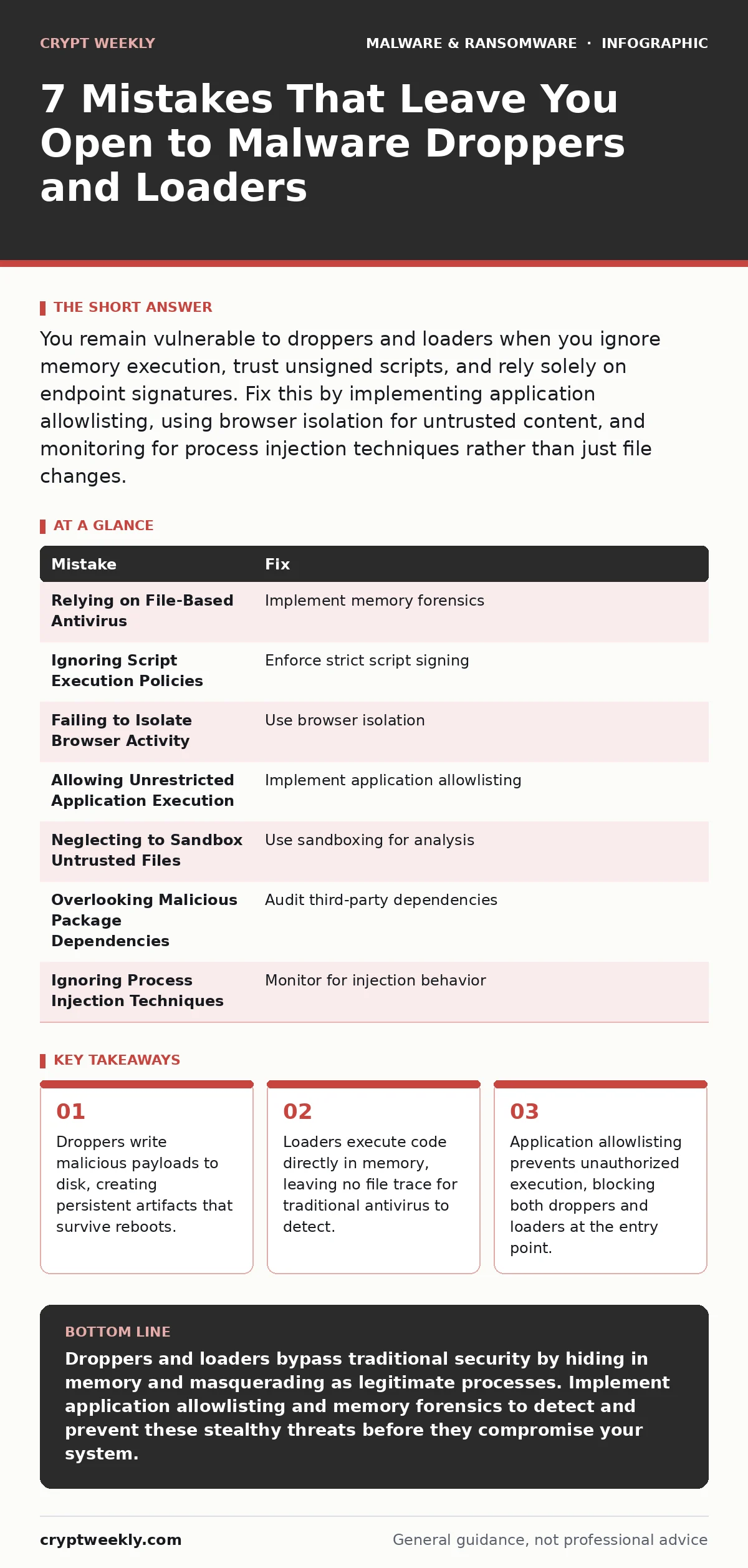
You remain vulnerable to droppers and loaders when you ignore memory execution, trust unsigned scripts, and rely solely on endpoint signatures. Fix this by implementing application allowlisting, using browser isolation for untrusted content, and monitoring for process injection techniques rather than just file changes.
Mistake 1: Relying on File-Based Antivirus Alone
Traditional antivirus software scans files stored on your hard drive. It compares these files against a database of known bad signatures. This method fails completely against malware loaders. Loaders execute malicious code directly in the computer's memory without ever writing a file to the disk. Your antivirus sees nothing because there is no file to scan. The malware runs, steals credentials, or spreads laterally while your security tools report a clean system. You must look beyond static files to catch this behavior.
Why it hurts: You believe your system is clean because no files were flagged. The malware operates in the shadows of your memory, bypassing every file integrity check you have in place. This creates a false sense of security that delays detection until the attacker has already moved laterally through your network.
The fix: Implement memory forensics to analyze the contents of your system's RAM. This technique reveals processes and code that exist only in memory. Combine this with behavioral monitoring that flags unusual memory allocation or execution patterns. These tools catch loaders that file-based scanners miss entirely.
Mistake 2: Ignoring Script Execution Policies
Scripts written in languages like PowerShell or Python are interpreted at runtime. They do not need to be compiled into an executable file. Attackers use these scripts as droppers to download and stage larger payloads. Many systems allow any user to run these scripts by default. This openness lets attackers execute complex attacks with a single double-click or a cleverly crafted email link. The script runs, drops the malware, and disappears from view.
Why it hurts: Script execution is often unrestricted for convenience. This convenience becomes a backdoor for attackers. A dropper script can download a ransomware payload, execute it, and delete itself before your security team notices. The lack of binary compilation means traditional signature matching struggles to identify the malicious intent within the text code.
The fix: Enforce strict script execution policies on all endpoints. Configure systems to only run scripts that are digitally signed by trusted publishers. This prevents unsigned dropper scripts from executing, even if a user accidentally opens them. Regularly audit script logs to identify any attempts to run unauthorized code.
Mistake 3: Failing to Isolate Browser Activity
Your web browser is the most common entry point for droppers. Malicious websites, often found through SEO poisoning, serve drive-by downloads that attempt to install malware. These downloads often exploit vulnerabilities in browser plugins or the browser itself. If your browser has direct access to your file system, the dropper can write files directly to your disk. This happens before you even realize you clicked on a suspicious link or visited a compromised site.
Why it hurts: The browser becomes a bridge between the internet and your local system. A single click on a compromised ad or search result can trigger a dropper. The malware installs silently in the background. You lose control of your system because the initial infection vector was the browser, which you likely did not suspect as a threat source.
The fix: Use browser isolation to render web pages in a remote container. This ensures that any code executed by the browser never touches your local machine. If a dropper attempts to run, it is contained within the isolated environment. Your local system remains clean, and you only receive the safe text and images from the page.
Mistake 4: Allowing Unrestricted Application Execution
Many users and administrators install software without verifying its source. This habit allows droppers to masquerade as legitimate applications. Once installed, these droppers sit dormant until triggered. They may wait for a specific time, a user action, or a network connection. When triggered, they drop their payload. Without controls on what can run, your system cannot distinguish between a needed tool and a malicious dropper hiding in plain sight.
Why it hurts: Unrestricted execution means any file can run if a user double-clicks it. Attackers exploit this by naming their droppers similarly to common utilities. Once executed, the dropper has full access to your system. It can modify system settings, disable security tools, and install persistent backdoors. You lose the ability to trust the applications on your own machine.
The fix: Implement application allowlisting on all critical systems. This security measure only permits execution of approved software. Any application not on the list is blocked from running. This stops droppers immediately upon execution, regardless of how they disguise themselves. It shifts security from detection to prevention.
Mistake 5: Neglecting to Sandbox Untrusted Files
Users often open attachments from unknown senders without scanning them first. These attachments may contain logic bombs or droppers that activate upon opening. If you open the file directly on your production system, the dropper executes immediately. It drops its payload and begins its malicious activity. There is no undo button for this action. The damage is done before you can react.
Why it hurts: Direct execution gives the malware immediate access to your live environment. A dropper can spread to other files, encrypt data, or steal credentials in seconds. Your response is reactive and delayed. By the time you notice the infection, the dropper has already completed its mission. Your system is compromised, and your data is at risk.
The fix: Use sandboxing to analyze untrusted files in a secure, isolated environment. The sandbox mimics your operating system but disconnects from your network. If the file is a dropper, it will drop its payload inside the sandbox. You can then analyze the payload safely without risking your actual system. Only open files that pass this analysis.
See also: How are USB flash drives a security risk and how to stop them · Application Allowlisting Best Practices for Secure Systems
Mistake 6: Overlooking Malicious Package Dependencies
Developers often use third-party libraries to speed up coding. These libraries may contain malicious code introduced through supply chain attacks. Malicious npm packages are a common example. When you install these packages, you are essentially running a dropper. The package installs itself and may include scripts that execute during installation. These scripts can modify your project files or install additional malware.
Why it hurts: You trust the package manager to deliver safe code. This trust is broken when attackers compromise popular libraries. The dropper executes with the same permissions as your development environment. It can access sensitive keys, modify source code, or install backdoors. You have no visibility into the code running inside these dependencies, making detection nearly impossible.
The fix: Audit all third-party dependencies for known vulnerabilities and malicious behavior. Use tools that scan package manifests for suspicious activity. Pin your dependencies to specific, verified versions to prevent unexpected updates. Regularly review the code within these packages to ensure they have not been altered since your last check.
Mistake 7: Ignoring Process Injection Techniques
Loaders often use process injection to hide their activity. They inject their malicious code into legitimate system processes, such as file explorers or system services. This makes the malware appear as part of a trusted application. Security tools see a legitimate process running and ignore it. The loader executes its payload within this trusted context, bypassing security controls that monitor for new process creation.
Why it hurts: Process injection masks the true origin of the malware. You cannot identify the threat by looking at process names. The malware blends in with normal system activity. This stealth allows it to persist and operate undetected for long periods. Your security monitoring fails because it looks for new processes rather than analyzing existing ones for abnormal behavior.
The fix: Monitor for process injection techniques specifically. Look for legitimate processes that are making unexpected memory allocations or executing code from unusual locations. Use behavioral analytics to detect deviations from normal process behavior. This approach catches loaders that hide within trusted applications.
| Mistake | Fix |
|---|---|
| Relying on File-Based Antivirus | Implement memory forensics |
| Ignoring Script Execution Policies | Enforce strict script signing |
| Failing to Isolate Browser Activity | Use browser isolation |
| Allowing Unrestricted Application Execution | Implement application allowlisting |
| Neglecting to Sandbox Untrusted Files | Use sandboxing for analysis |
| Overlooking Malicious Package Dependencies | Audit third-party dependencies |
| Ignoring Process Injection Techniques | Monitor for injection behavior |
Key takeaways
- Droppers write malicious payloads to disk, creating persistent artifacts that survive reboots.
- Loaders execute code directly in memory, leaving no file trace for traditional antivirus to detect.
- Application allowlisting prevents unauthorized execution, blocking both droppers and loaders at the entry point.
Droppers and loaders bypass traditional security by hiding in memory and masquerading as legitimate processes. Implement application allowlisting and memory forensics to detect and prevent these stealthy threats before they compromise your system.
Frequently asked questions
How do I know if a dropper has already run on my system?
Check for new files created in temporary directories or unusual scheduled tasks. Look for processes with high CPU usage that do not match known applications. Review system logs for unexpected file creation events.
Can application allowlisting stop all malware?
It stops unauthorized code from executing, which blocks most droppers and loaders. It does not protect against zero-day exploits in running applications or social engineering attacks that trick users into bypassing controls.
Why is memory forensics better than file scanning?
Memory forensics detects code that exists only in RAM, which file scanners cannot see. Loaders execute in memory without creating files, making them invisible to traditional antivirus software until they cause damage.
Do I need browser isolation for internal websites?
Browser isolation is primarily for untrusted external content. Internal sites should be secured with strong authentication and network segmentation. However, if internal sites serve dynamic content from external sources, isolation adds an extra layer of protection.
How this guide was produced: written by the Crypt Weekly editorial team with AI assistance, checked against the public references listed below, and reviewed when the facts change. See our editorial policy or report an error.