
Sandboxes execute code in isolation to observe behavior, but they fail to detect threats that recognize containment and remain dormant until they reach a real system.
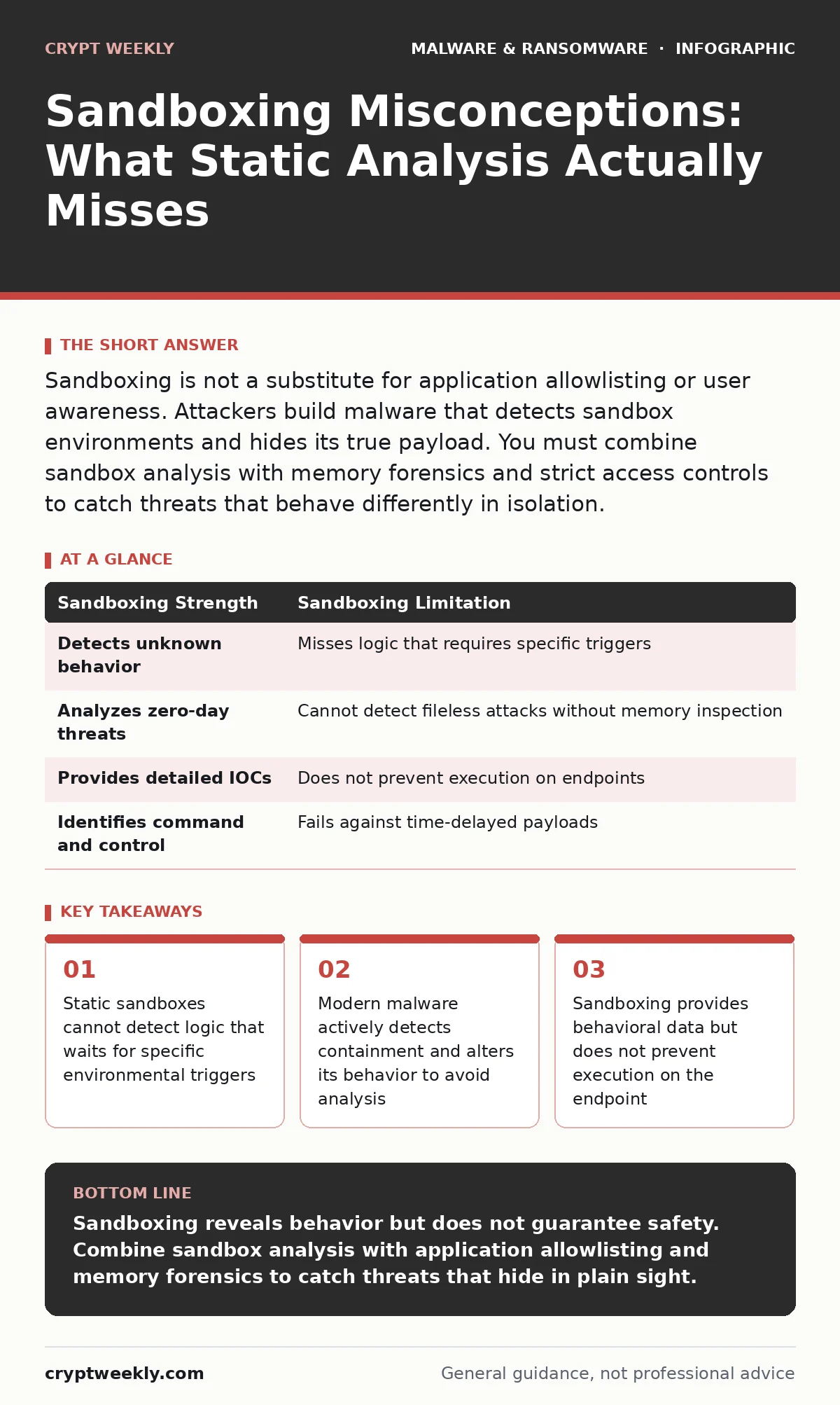
Sandboxing is not a substitute for application allowlisting or user awareness. Attackers build malware that detects sandbox environments and hides its true payload. You must combine sandbox analysis with memory forensics and strict access controls to catch threats that behave differently in isolation.
Misreading: Sandboxing Provides Complete Protection
Correct reading: Sandboxing is an analysis tool, not a prevention control. It executes untrusted code in a controlled, isolated environment to observe what the code does. It does not stop the code from running on your actual systems. If you rely on sandboxing to block threats, you leave your endpoints exposed. You must pair sandboxing with application allowlisting, which restricts execution to known-good binaries. Sandboxing tells you what a file does; allowlisting decides whether it is allowed to run.
Misreading: If the Sandbox Says Clean, It Is Safe
Correct reading: A clean sandbox result only means the malware did not trigger its malicious routines during that specific test. Attackers design malware to detect containment. They check for virtual machine artifacts, low resource counts, or the absence of a user profile. If the environment looks artificial, the malware stays silent. It may drop a secondary payload via malicious npm packages or wait for a specific network condition. The initial file appears benign because it never executed its core malicious logic. You are seeing a decoy, not the real threat.
Misreading: Sandboxes Catch Polymorphic Malware Automatically
Correct reading: Polymorphic malware changes its code structure with each iteration while keeping the same underlying function. Sandboxes often analyze the specific variant present at the moment of submission. If the sandbox has not seen that exact variant, it may lack the signatures or behavioral baselines to flag it. The analysis depends on the sandbox's ability to normalize the code or execute it long enough to reveal its intent. Static analysis alone fails here. You need dynamic analysis that observes runtime behavior, combined with memory forensics to inspect the code after it has decrypted itself in RAM.
Misreading: Time Is Irrelevant in Sandbox Analysis
Correct reading: Sandboxes have strict time limits to prevent resource exhaustion and denial-of-service attacks. Sophisticated threats use time bombs or delay tactics to outlast the analysis window. The malware may wait hours or days before executing its payload, such as encrypting files for ransomware backups or exfiltrating data. When the sandbox timer expires, the analysis ends with a clean result. The threat remains dormant until it reaches a production system where time is not constrained. You must configure sandboxes to monitor long-running processes and network connections, but even this has limits.
Misreading: Sandboxes Detect All Fileless Attacks
Correct reading: Fileless attacks operate entirely in memory, using legitimate system tools like PowerShell or Windows Script Host. Traditional sandboxes that focus on file extraction and static analysis may miss these threats. The malicious code never touches the disk in a form the sandbox can easily isolate. The attack chain often begins with a macro or a malicious script that downloads and executes code directly in RAM. Without memory forensics capabilities, the sandbox sees only a legitimate script runner. You must ensure your sandboxing solution includes deep memory inspection to catch execution that bypasses disk-based artifacts.
Misreading: Sandboxing Replaces User Training
Correct reading: Users often click on malicious links or open attachments that download spyware or malware droppers and loaders. Sandboxing analyzes the downloaded file, but it does not stop the user from clicking the link in the first place. If the initial payload is a downloader that fetches the real threat after sandboxing, the analysis misses the final stage. Sandboxing cannot fix poor hygiene. You must educate users on recognizing social engineering tactics. Sandboxing is a technical layer; user awareness is a behavioral layer. Both are necessary.
Misreading: Sandbox Results Are Static and Final
Correct reading: Threat intelligence evolves. A file that was clean last month may be flagged today as attackers update their tactics or as the sandbox database improves. Sandboxing provides a point-in-time assessment. You must treat results as indicators, not absolute truths. Integrate sandbox feeds into your security information and event management system for continuous correlation. Combine this with regular updates to your application allowlisting policies. Static results become stale quickly in a dynamic threat environment.
| Sandboxing Strength | Sandboxing Limitation |
|---|---|
| Detects unknown behavior | Misses logic that requires specific triggers |
| Analyzes zero-day threats | Cannot detect fileless attacks without memory inspection |
| Provides detailed IOCs | Does not prevent execution on endpoints |
| Identifies command and control | Fails against time-delayed payloads |
Misreading: Sandboxing Works Equally for All File Types
Correct reading: Sandboxes excel at analyzing executable files like PE binaries or scripts. They struggle with complex document formats, embedded macros, or compressed archives that require multiple extraction layers. A document may contain a macro that downloads a secondary payload. The sandbox must execute the document, interpret the macro, and then analyze the downloaded content. If any step fails, the analysis is incomplete. You must ensure your sandbox supports the specific file types your organization uses. Specialized emulators are needed for office documents, PDFs, and mobile apps.
Misreading: Sandboxing Eliminates the Need for Other Controls
Correct reading: Sandboxing is one layer in a defense-in-depth strategy. It does not replace antivirus software, firewalls, or intrusion detection systems. Each control has blind spots. Sandboxing misses fileless attacks; antivirus misses new variants; firewalls miss encrypted traffic. You need all of them. Sandboxing provides deep analysis for suspicious artifacts. Other controls provide broad coverage and prevention. Relying on a single tool creates a single point of failure. Diversify your defenses to cover the gaps in each mechanism.
Key takeaways
- Static sandboxes cannot detect logic that waits for specific environmental triggers
- Modern malware actively detects containment and alters its behavior to avoid analysis
- Sandboxing provides behavioral data but does not prevent execution on the endpoint
- False confidence in sandboxing leads to neglecting foundational controls like application allowlisting
Sandboxing reveals behavior but does not guarantee safety. Combine sandbox analysis with application allowlisting and memory forensics to catch threats that hide in plain sight.
Frequently asked questions
How do I know if my sandbox detects anti-analysis techniques?
Look for reports that mention environment checks, such as detecting VM drivers, low CPU counts, or missing user profiles. If the sandbox flags files for these behaviors, it is actively looking for evasion.
Can sandboxing catch ransomware before it encrypts files?
Sandboxing can detect ransomware behavior if the malware executes its encryption routine during analysis. However, if the ransomware waits for a specific trigger or detects the sandbox, it may remain dormant and pass analysis undetected.
Is cloud-based sandboxing more secure than on-premises?
Cloud sandboxes offer scalability and broader threat intelligence feeds. On-premises sandboxes provide better data privacy and control. The security depends on your configuration and how you handle the data submitted for analysis.
How often should I resubmit files for sandboxing?
Resubmit files when threat intelligence changes or when you suspect a new variant. Static files do not change, but the understanding of their maliciousness evolves. Regular re-analysis helps catch threats that were previously unknown.
How this guide was produced: written by the Crypt Weekly editorial team with AI assistance, checked against the public references listed below, and reviewed when the facts change. See our editorial policy or report an error.