
Broken certificate chains cause silent service outages that standard monitoring tools often miss entirely.
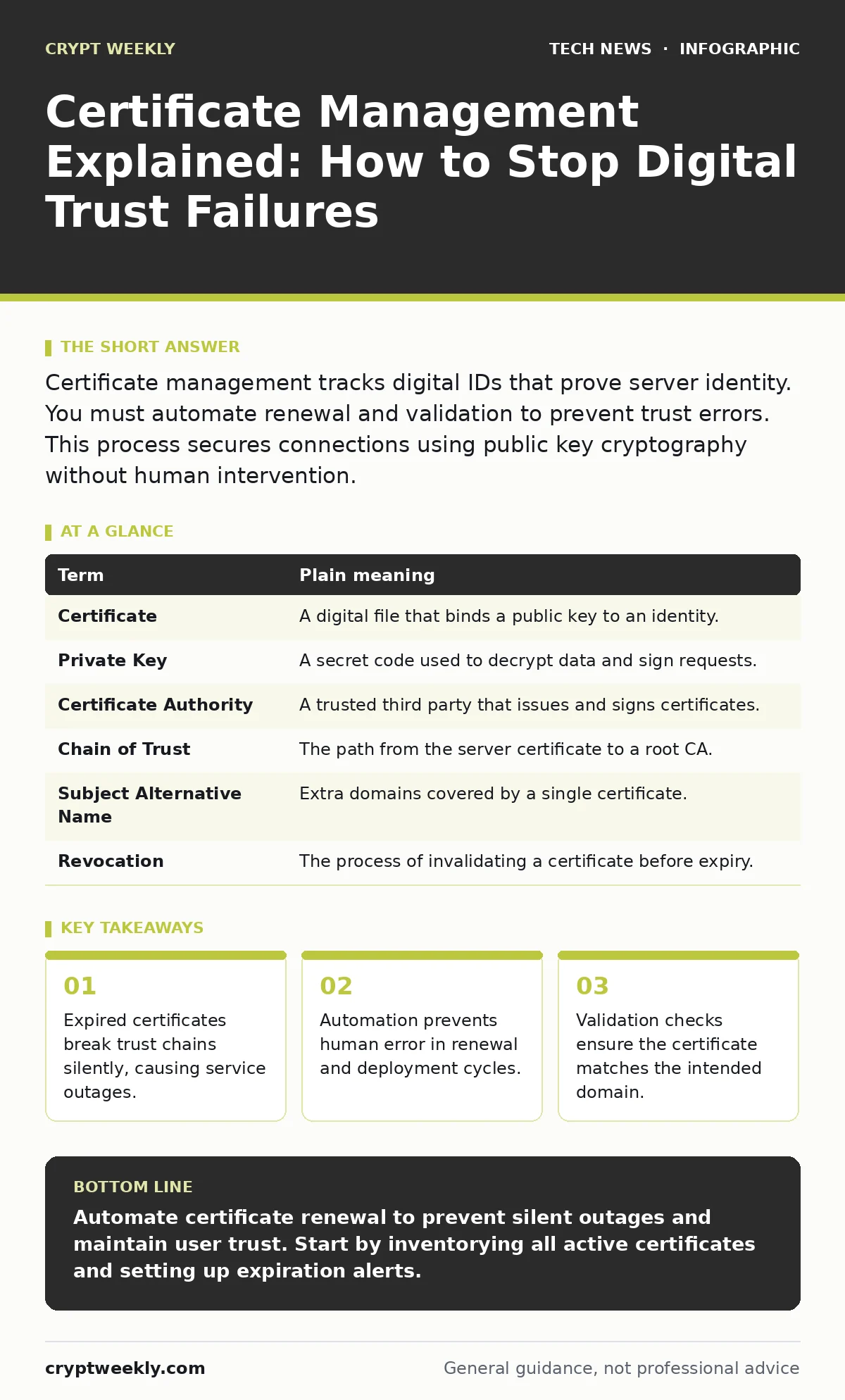
Certificate management tracks digital IDs that prove server identity. You must automate renewal and validation to prevent trust errors. This process secures connections using public key cryptography without human intervention.
The Digital Passport Analogy
Imagine you are a border control officer at an international airport. Your job is to verify that every traveler has a valid passport before allowing them to enter the country. The passport is not just a piece of paper; it is a trusted document issued by a government authority. If the passport is expired, the traveler is denied entry. If the photo does not match the person, you suspect identity theft.
In cybersecurity, a digital certificate is that passport. It proves that a server is who it claims to be. The Certificate Authority (CA) is the government issuing the passports. You are the border officer verifying the document. If the certificate is expired or invalid, your systems must deny the connection. This prevents users from sending sensitive data to an imposter.
Why Manual Tracking Fails
Most organizations start by manually tracking certificate expiration dates in a spreadsheet. This approach seems simple but fails under pressure. Humans forget to renew certificates. They miss time zone differences. They deploy updates to the wrong server. When a certificate expires, the service stops working. Users see a browser warning and leave. The outage is not a hack; it is an administrative error.
The hidden cost is trust erosion. Every time a user sees a security warning, they question the safety of your platform. Even if the warning is a false positive, the psychological damage remains. You lose credibility with every expired certificate. This is why automation is not just convenient; it is a security requirement.
Core Terms You Must Know
To manage certificates, you need to understand the components that make up the trust chain. These terms appear in every configuration file and error message. Knowing them helps you diagnose issues quickly.
| Term | Plain meaning |
|---|---|
| Certificate | A digital file that binds a public key to an identity. |
| Private Key | A secret code used to decrypt data and sign requests. |
| Certificate Authority | A trusted third party that issues and signs certificates. |
| Chain of Trust | The path from the server certificate to a root CA. |
| Subject Alternative Name | Extra domains covered by a single certificate. |
| Revocation | The process of invalidating a certificate before expiry. |
The Automation Advantage
Automating certificate management removes human error from the equation. Tools can request, renew, and deploy certificates without you logging in. This uses standards like ACME (Automatic Certificate Management Environment). The tool talks to the CA and handles the paperwork. You only configure the initial connection.
This automation also helps with open port management. If a certificate fails to deploy, the tool can alert you before the port opens. This prevents exposing services with invalid credentials. It ensures that every public-facing service has a valid identity. You gain visibility into the entire fleet of certificates.
Validating the Chain of Trust
A certificate is only as good as its chain of trust. The browser checks the server certificate, then the intermediate certificate, and finally the root certificate. If any link is broken, the connection fails. This is why you must install intermediate certificates correctly. Missing intermediates cause errors on some devices but not others.
You should also validate Subject Alternative Names. These names tell the browser which domains the certificate covers. If you add a new domain but forget to update the certificate, users will see errors. Automation tools can check these names against your inventory. They ensure that every domain has a matching, valid certificate.
Integrating with Identity Systems
Certificate management does not exist in a vacuum. It interacts with other security systems. For example, SAML assertions often rely on signed certificates for authentication. If the signing certificate expires, single sign-on breaks. Users cannot log in to their accounts. This cascading failure affects multiple services at once.
Similarly, API security depends on mutual TLS. Both the client and server present certificates. If either certificate is invalid, the API call fails. This adds complexity to your management strategy. You must track certificates for servers and clients. Automation helps here by managing both sides of the connection.
Three Steps to Start Now
You do not need to overhaul your entire infrastructure today. Start with these three steps to build a foundation.
- Inventory all active certificates. List every domain and its expiration date. Identify which systems rely on each certificate.
- Choose an automation tool. Select one that supports your operating systems and web servers. Configure it to handle renewals automatically.
- Set up monitoring alerts. Create alerts for certificates expiring in thirty days. This gives you time to fix issues before they cause outages.
The Long-Term View
Certificate management is an ongoing process. New domains are added. Old ones are retired. Certificates are rotated for security. You must maintain your inventory and automation rules. This ensures that your digital passports are always valid. It keeps your border control efficient and secure.
By automating this process, you reduce risk and save time. You free up your team to focus on higher-value tasks. You also improve your overall security posture. This connects to broader topics like firmware updates and Domain Name System security. A strong foundation in certificate management supports all other security efforts.
Key takeaways
- Expired certificates break trust chains silently, causing service outages.
- Automation prevents human error in renewal and deployment cycles.
- Validation checks ensure the certificate matches the intended domain.
Automate certificate renewal to prevent silent outages and maintain user trust. Start by inventorying all active certificates and setting up expiration alerts.
Frequently asked questions
How often should I rotate certificates?
Rotate certificates annually or when key material is compromised. Shorter lifespans reduce the impact of a breach.
Can I use self-signed certificates?
Self-signed certificates are valid for internal testing but not for public services. Browsers will block them by default.
What happens if a CA is compromised?
If a CA is compromised, all certificates it issued are suspect. You must revoke and reissue affected certificates immediately.
Do I need to manage certificates for internal servers?
Yes, internal servers also need valid certificates. This prevents man-in-the-middle attacks on your internal network.
How this guide was produced: written by the Crypt Weekly editorial team with AI assistance, checked against the public references listed below, and reviewed when the facts change. See our editorial policy or report an error.