
Emergency patches often bypass standard controls, creating a hidden audit gap that allows misconfigurations to persist long after the security flaw is closed.
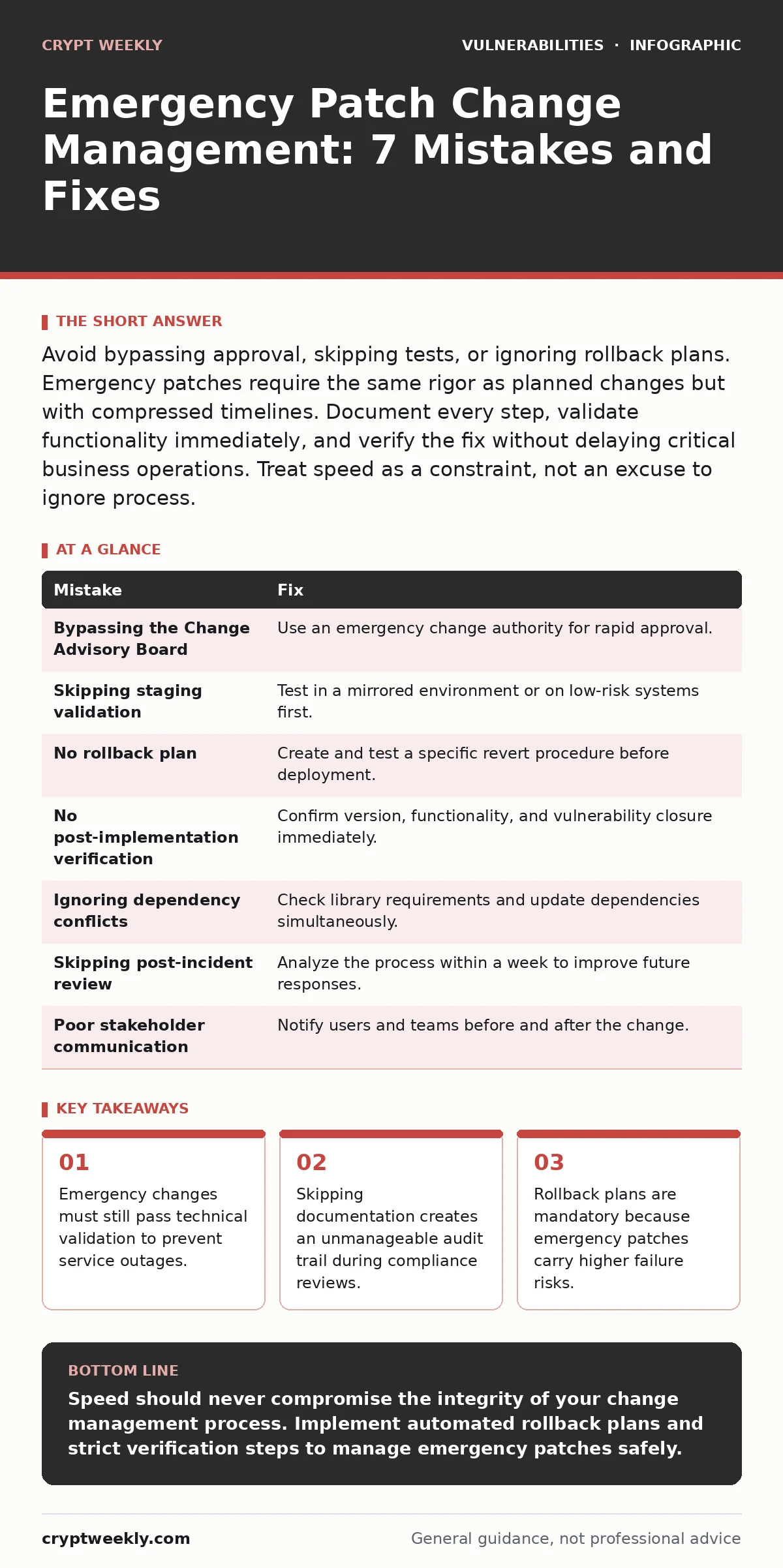
Avoid bypassing approval, skipping tests, or ignoring rollback plans. Emergency patches require the same rigor as planned changes but with compressed timelines. Document every step, validate functionality immediately, and verify the fix without delaying critical business operations. Treat speed as a constraint, not an excuse to ignore process.
Mistake 1: Bypassing the Change Advisory Board entirely
You assume that speed requires removing governance. You skip the Change Advisory Board meeting to deploy a patch immediately. This removes the final check that balances risk against operational impact. The CAB provides context on other scheduled changes that might conflict with your emergency update. Without this oversight, you risk deploying a patch that breaks a dependent system or conflicts with a planned maintenance window.
Why it hurts:
You lose the collective knowledge of the organization. Other teams may be performing updates that interact with your system. A conflict between an emergency patch and a scheduled infrastructure change can cause a cascading failure. This downtime is often more severe than the vulnerability you intended to fix. You also create a compliance violation by operating outside established governance frameworks.
The fix:
Implement an emergency change authority. This is a predefined subset of stakeholders who can approve critical updates outside normal hours. They must still review the risk and impact. The approval process remains documented, even if it happens via secure messaging or phone. This ensures that someone with broader context validates the decision before you execute the deployment.
Mistake 2: Skipping validation in a staging environment
You deploy directly to production because the vulnerability is critical. You assume that the vendor’s testing is sufficient. You skip the staging environment to save hours. This approach ignores the unique configuration of your specific infrastructure. Your systems likely have custom configurations, legacy dependencies, or integrated applications that the vendor did not test against.
Why it hurts:
The patch may function correctly in a vacuum but fail in your complex environment. A failed patch can take down services, lock out users, or corrupt data. You then face the dual pressure of fixing the vulnerability and restoring availability. This creates a chaotic recovery scenario where you are troubleshooting under extreme time constraints. The lack of prior testing makes it difficult to identify the root cause of the failure quickly.
The fix:
Maintain a staging environment that mirrors production as closely as possible. Apply the emergency patch to this environment first. Run a focused set of validation tests to ensure core functionality remains intact. If the environment is too complex to mirror perfectly, test on the least critical production systems first. This targeted approach limits the blast radius if the patch causes unexpected issues. Security regression testing helps ensure that the patch does not introduce new flaws.
Mistake 3: Failing to define a rollback plan
You focus entirely on the forward motion of applying the patch. You do not prepare a method to revert the change if it fails. You assume that you can simply uninstall the update or restore from a backup. This assumption is dangerous because backups may be old, and uninstalls can leave residual files that cause instability.
Why it hurts:
When the patch causes an outage, you have no clear path to recovery. You waste valuable time deciding how to undo the change. This delay extends the duration of the service interruption. In a high-pressure situation, the stress leads to further errors. You may attempt manual fixes that exacerbate the problem. The inability to rollback quickly turns a manageable incident into a major disaster.
The fix:
Create a rollback plan before you apply the patch. This plan must include specific steps to revert the system to its previous state. It should specify which files to replace, which configurations to restore, and which services to restart. Test the rollback procedure in the staging environment. Ensure that the rollback is as automated as the deployment. This symmetry ensures that you can recover quickly if the patch fails.
Mistake 4: Deploying without post-implementation verification
You apply the patch and assume it worked because the installer returned no errors. You do not verify that the vulnerability is actually closed. You do not check if the application functions correctly for end users. This assumption is common because error codes can be misleading. A silent failure may leave the system vulnerable while appearing updated.
Why it hurts:
You remain exposed to the original threat. Attackers can scan for the specific vulnerability signature. If the patch did not apply correctly, they will find the system open. You also risk functional issues that users report hours later. This delays the identification of problems until they impact business operations. The lack of verification means you have no proof of compliance or security posture improvement.
The fix:
Verify the patch application immediately after deployment. Use automated tools to confirm the version number and the status of the vulnerable component. Run a quick functional test to ensure the application works as expected. If possible, perform a targeted scan to confirm the vulnerability is closed. Document the verification results. This step provides evidence that the emergency change achieved its security and operational goals.
Mistake 5: Ignoring dependency conflicts
You apply a patch to one component without checking its dependencies. You assume that the update is isolated to that specific software. This ignores the interconnected nature of modern systems. Libraries, frameworks, and APIs often have version requirements that must be met. An emergency patch may require a newer version of a dependent library.
Why it hurts:
The patch may fail to load or cause errors in dependent applications. This can break functionality that relies on the updated component. You may need to update multiple systems to resolve the conflict. This expands the scope of the emergency change unexpectedly. The added complexity increases the chance of human error. You may introduce new instability by forcing incompatible versions to work together.
The fix:
Review the dependency requirements before applying the patch. Identify any libraries or frameworks that the patch relies on. Check if those dependencies are already present in your environment. If they are not, plan to update them as part of the emergency change. Use dependency scanning tools to identify potential conflicts in your software supply chain. This proactive step prevents unexpected failures caused by version mismatches.
See also: Patch Testing: How to Verify Fixes Without Breaking Your Systems
Mistake 6: Skipping the post-incident review
You consider the job done once the patch is applied and verified. You do not analyze why the emergency was necessary. You do not document the lessons learned. This creates a cycle where similar emergencies occur repeatedly. You miss the opportunity to improve your processes and prevent future crises.
Why it hurts:
The organization fails to learn from the incident. The same vulnerability or similar ones may appear again. You do not identify gaps in your patch management process. The emergency change remains an exception rather than a catalyst for improvement. This leads to a reactive security posture where you are always fighting fires. You waste resources on recurring issues that could have been prevented.
The fix:
Conduct a post-incident review within a week of the emergency change. Analyze the timeline, the decision-making process, and the execution. Identify what went well and what could be improved. Update your procedures based on these findings. This review helps you refine your emergency response capabilities. It also ensures that you address the root cause of the vulnerability, not just the symptom.
Mistake 7: Poor communication with stakeholders
You apply the patch without informing users or other teams. You assume that a silent update is less disruptive. This creates confusion when users experience changes or brief outages. Other teams may be unaware of the change and attempt conflicting actions.
Why it hurts:
Users may report issues that are actually caused by the patch. This increases the load on your support team. Other teams may waste time troubleshooting problems that are already known. The lack of transparency erodes trust in the security team. You appear to be acting without coordination or consideration for business impact. This can lead to resistance against future security initiatives.
The fix:
Communicate the emergency change to all relevant stakeholders before and after deployment. Provide a clear explanation of the reason for the change. Include expected downtime and potential impacts. Use established communication channels to reach users and support teams. This transparency reduces confusion and support tickets. It also demonstrates that the security team is working collaboratively to protect the organization.
| Mistake | Fix |
|---|---|
| Bypassing the Change Advisory Board | Use an emergency change authority for rapid approval. |
| Skipping staging validation | Test in a mirrored environment or on low-risk systems first. |
| No rollback plan | Create and test a specific revert procedure before deployment. |
| No post-implementation verification | Confirm version, functionality, and vulnerability closure immediately. |
| Ignoring dependency conflicts | Check library requirements and update dependencies simultaneously. |
| Skipping post-incident review | Analyze the process within a week to improve future responses. |
| Poor stakeholder communication | Notify users and teams before and after the change. |
Key takeaways
- Emergency changes must still pass technical validation to prevent service outages.
- Skipping documentation creates an unmanageable audit trail during compliance reviews.
- Rollback plans are mandatory because emergency patches carry higher failure risks.
- Automated rollback mechanisms reduce recovery time when patches introduce instability.
Speed should never compromise the integrity of your change management process. Implement automated rollback plans and strict verification steps to manage emergency patches safely.
Frequently asked questions
How do you handle emergency patches for legacy systems?
Isolate the legacy system from the network as much as possible. Apply the patch only if no virtual patching or network-level controls can mitigate the risk. Test extensively in a sandbox environment first.
Can you apply emergency patches without downtime?
Some patches allow for live updates, but most require a service restart. Plan for a brief maintenance window if possible. Use high-availability clusters to route traffic to healthy nodes during the update.
What is the difference between emergency and standard patching?
Emergency patching has a compressed timeline and uses expedited approval processes. Standard patching follows a full testing and review cycle. Both must still be documented and verified for security and compliance.
How do you prioritize which vulnerabilities need emergency patches?
Prioritize based on exploitability and impact. If a vulnerability is actively being exploited in the wild and affects critical assets, it requires emergency treatment. Use threat intelligence to assess the current risk level.
How this guide was produced: written by the Crypt Weekly editorial team with AI assistance, checked against the public references listed below, and reviewed when the facts change. See our editorial policy or report an error.