
Code changes often break existing security controls without altering the application's visible behavior, leaving silent gaps in your defense.
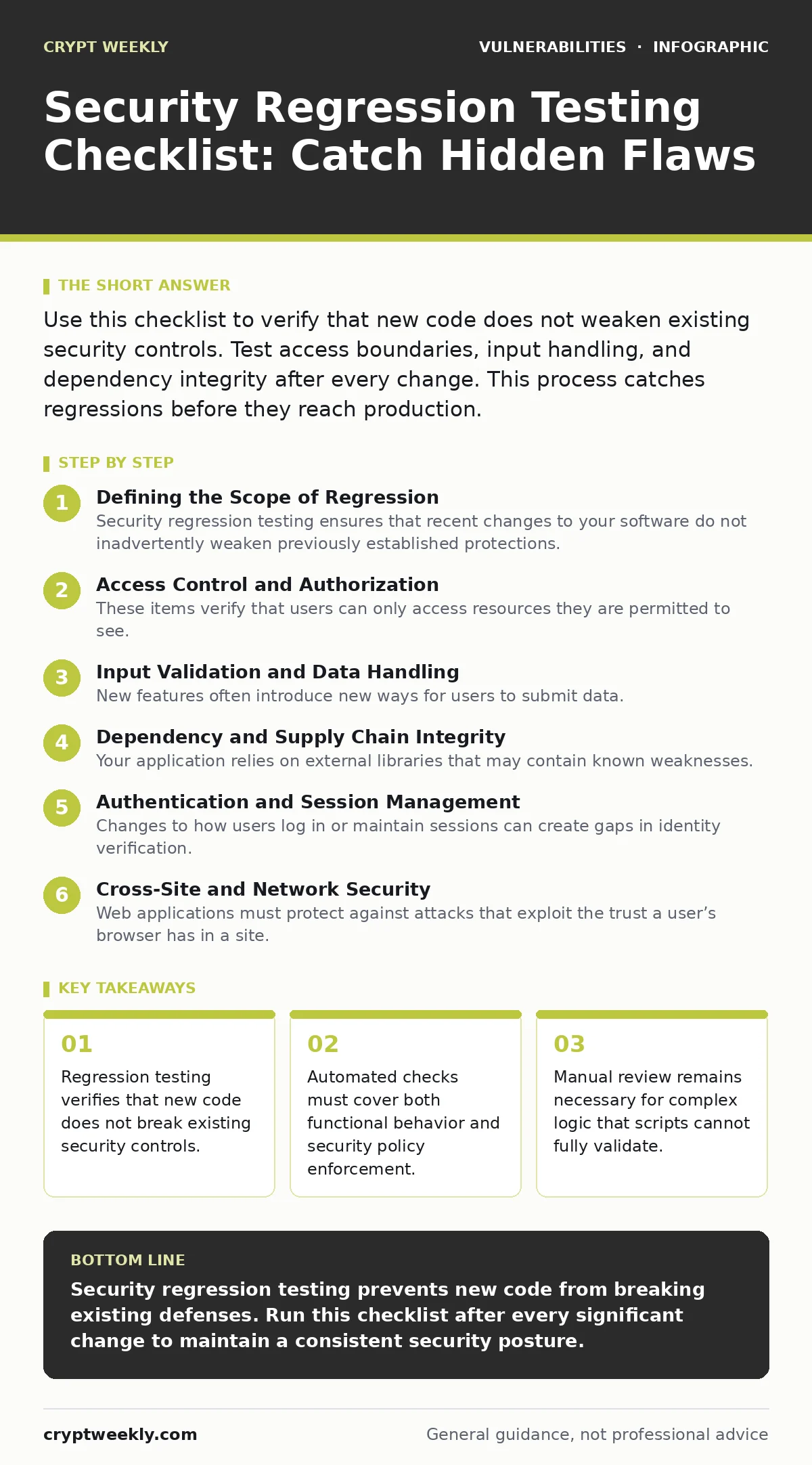
Use this checklist to verify that new code does not weaken existing security controls. Test access boundaries, input handling, and dependency integrity after every change. This process catches regressions before they reach production.
Defining the Scope of Regression
Security regression testing ensures that recent changes to your software do not inadvertently weaken previously established protections. When you modify a function to improve performance, you might accidentally bypass an access check. This checklist helps you verify that your security posture remains intact after every code commit.
You should run this process after merging significant features or applying major updates. It is not a one-time event but a continuous verification step. Treat it as a safety net that catches errors before they reach your users.
Access Control and Authorization
These items verify that users can only access resources they are permitted to see. Broken access control is a common regression because permission logic is often scattered across multiple files.
- Verify horizontal privilege escalation paths: Ensure users cannot access resources belonging to other users with the same role.
- Test vertical privilege escalation boundaries: Confirm that standard users cannot execute actions reserved for administrators.
- Check object-level authorization: Validate that permissions are checked for each specific resource, not just the general endpoint.
- Review API permission scopes: Ensure that new API endpoints enforce the same permission rules as existing ones.
Input Validation and Data Handling
New features often introduce new ways for users to submit data. If validation rules are not applied consistently, attackers can inject malicious payloads. You must verify that all entry points sanitize data correctly.
- Test parameter tampering: Verify that changing request parameters does not bypass validation or alter business logic.
- Check for injection vectors: Ensure that new inputs are properly escaped to prevent SQL or command injection.
- Validate file upload restrictions: Confirm that file type and size limits are enforced server-side, not just in the browser.
- Review error message leakage: Ensure that detailed error messages do not expose stack traces or internal paths.
Dependency and Supply Chain Integrity
Your application relies on external libraries that may contain known weaknesses. Updating or adding dependencies can reintroduce old flaws or create new compatibility issues. You must track what your code depends on.
- Scan for known vulnerabilities: Verify that no new dependencies introduce components with published security flaws.
- Check for dependency confusion: Ensure that your build process only pulls packages from trusted, private registries.
- Validate cryptographic library versions: Confirm that you are using supported versions of encryption libraries.
- Review transitive dependencies: Check the dependencies of your dependencies for hidden risks.
For a deeper look at tracking these components, refer to the guide on software bill of materials (SBOM).
Authentication and Session Management
Changes to how users log in or maintain sessions can create gaps in identity verification. A minor tweak to a login form might bypass multi-factor authentication or leave sessions open too long.
- Test multi-factor authentication flows: Verify that MFA is required and cannot be bypassed during the login process.
- Check session fixation resistance: Ensure that session IDs are regenerated after a successful login.
- Validate token expiration: Confirm that access tokens expire as expected and are not reused after revocation.
- Review password reset logic: Ensure that reset tokens are single-use and expire quickly.
See also: How Container Escape Vulnerabilities Work: A Step-by-Step Breakdown
Cross-Site and Network Security
Web applications must protect against attacks that exploit the trust a user’s browser has in a site. New endpoints or changes to how data is returned can expose users to these threats.
- Test for cross-site request forgery (CSRF): Verify that state-changing requests require valid, unpredictable tokens.
- Check for cross-site scripting (XSS): Ensure that user-supplied data is encoded before being rendered in the browser.
- Validate Content Security Policy: Confirm that CSP headers are still effective and not overly permissive.
- Review CORS configurations: Ensure that cross-origin resource sharing rules are strict and allow only trusted domains.
If you are unsure how to test these specific web threats, consult the guide on cross-site request forgery (CSRF) for detailed methods.
Business Logic and State Consistency
Automated tools often miss errors in how your application handles complex processes. A change in one step of a workflow might break the security checks in another. You must manually verify critical paths.
- Test race conditions: Verify that concurrent requests do not allow duplicate transactions or bypass limits.
- Check state validation: Ensure that the application rejects requests that are out of sequence or logically invalid.
- Review financial logic: Confirm that calculations for pricing or balances are performed server-side and cannot be manipulated.
- Validate workflow completion: Ensure that all steps in a critical process are completed before granting access or rewards.
For more on these types of errors, see the guide on business logic flaws.
Integration and API Boundaries
Modern applications often communicate with other services. Changes to how your application sends or receives data can expose sensitive information or allow unauthorized access.
- Test API rate limiting: Verify that new endpoints enforce the same request limits as existing ones.
- Check data exposure in responses: Ensure that API responses do not include sensitive fields like internal IDs or hashes.
- Validate webhook security: Confirm that incoming webhooks are authenticated and verified before processing.
- Review third-party integrations: Ensure that data shared with external services is minimized and encrypted.
To understand common weaknesses in these interfaces, read the guide on API vulnerabilities.
Execution and Maintenance
Running this checklist requires discipline. You must update it as your application grows. New features introduce new risks that must be added to your testing routine.
- Document test cases: Write clear instructions for each test so that any team member can execute them.
- Automate repeatable checks: Use scripts to handle input validation and dependency scanning.
- Schedule manual reviews: Plan time for human testers to explore complex workflows and edge cases.
- Review failed tests: Investigate every failed test to understand the root cause and fix the underlying issue.
For broader testing strategies, consider the guide on penetration testing.
Key takeaways
- Regression testing verifies that new code does not break existing security controls.
- Automated checks must cover both functional behavior and security policy enforcement.
- Manual review remains necessary for complex logic that scripts cannot fully validate.
Security regression testing prevents new code from breaking existing defenses. Run this checklist after every significant change to maintain a consistent security posture.
Frequently asked questions
How often should I run security regression tests?
Run them after every code merge that touches security-sensitive areas. For critical systems, run them with every build.
Can automated tools replace manual regression testing?
No. Automated tools catch known patterns but miss complex business logic errors. Manual testing is still required for deep validation.
What if a regression test fails?
Stop the deployment. Investigate the root cause, fix the code, and re-run the test suite until it passes.
Do I need to test third-party libraries?
Yes. You must verify that your application integrates with them securely and that they do not introduce new vulnerabilities.
How this guide was produced: written by the Crypt Weekly editorial team with AI assistance, checked against the public references listed below, and reviewed when the facts change. See our editorial policy or report an error.