Spoofing exploits the lack of inherent trust in email headers, allowing attackers to mimic trusted domains without needing to compromise the actual server or account.
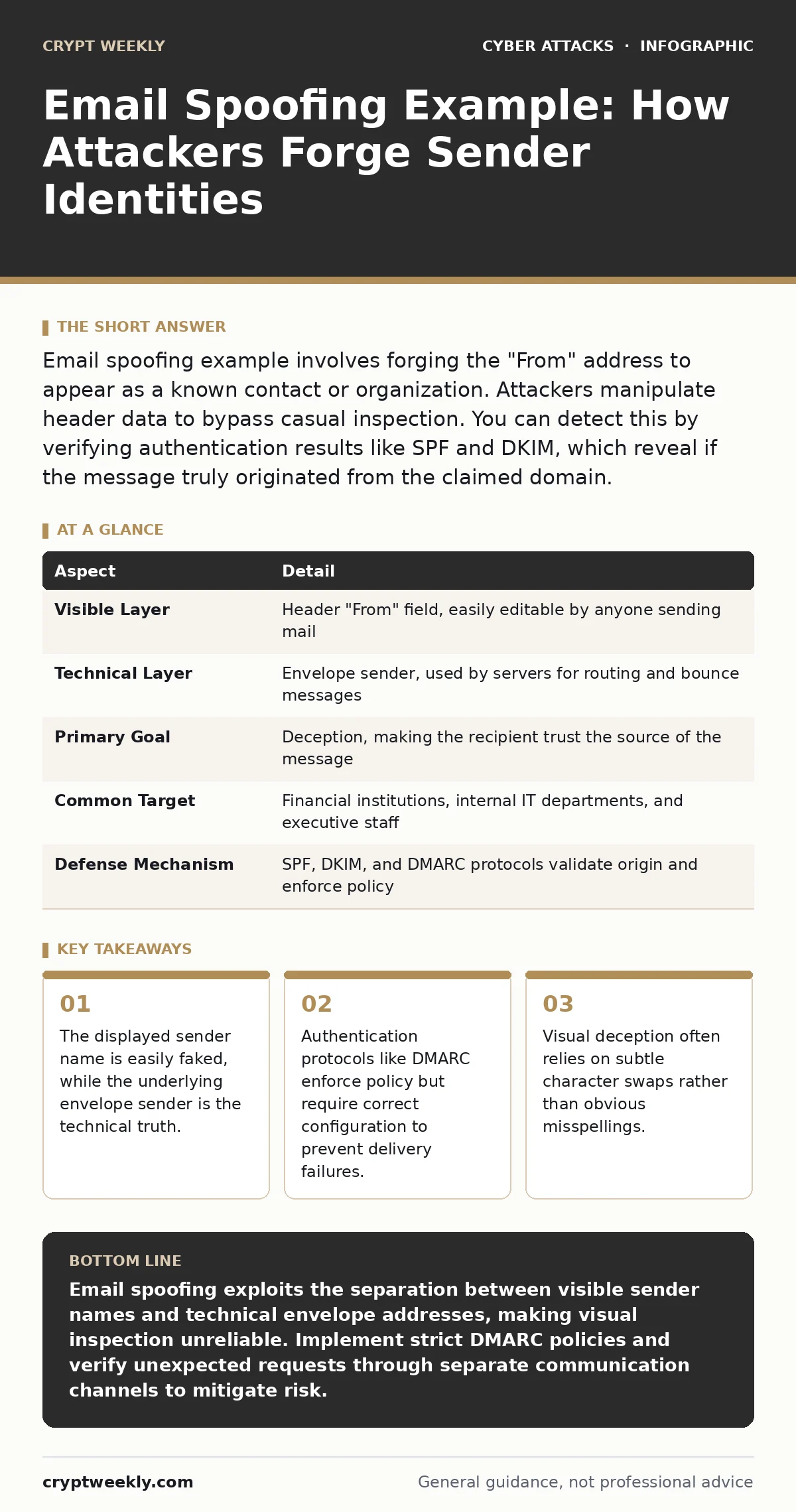
Email spoofing example involves forging the "From" address to appear as a known contact or organization. Attackers manipulate header data to bypass casual inspection. You can detect this by verifying authentication results like SPF and DKIM, which reveal if the message truly originated from the claimed domain.
Understanding the Mechanics of Email Spoofing Example
Imagine receiving a letter in your mailbox. The return address says it came from your bank, but the envelope was dropped off by a stranger on the street. The postal service delivered it because the address looked valid, but the content is not from the bank. Email works similarly. The Simple Mail Transfer Protocol (SMTP) separates the envelope sender, which tells the mail server where to route the message, from the header sender, which is what you see in your inbox.
An attacker can set the header sender to any string of text. This is the visible "From" address. They can also set the envelope sender to a different address, often one they control. Most email clients only display the header sender to the user. This separation creates a gap between what you see and where the message actually came from. Understanding this distinction is the first step in recognizing an email spoofing example.
| Aspect | Detail |
|---|---|
| Visible Layer | Header "From" field, easily editable by anyone sending mail |
| Technical Layer | Envelope sender, used by servers for routing and bounce messages |
| Primary Goal | Deception, making the recipient trust the source of the message |
| Common Target | Financial institutions, internal IT departments, and executive staff |
| Defense Mechanism | SPF, DKIM, and DMARC protocols validate origin and enforce policy |
How Attackers Bypass Casual Inspection
Attackers do not need to hack the real server to send a message that looks like it came from that server. They use open relays or their own mail servers to inject messages. They craft the header to match the target domain exactly. For instance, they can make the "From" field read [email protected]. If they control a domain like yourcompany-login.com, they can often make the email appear to come from [email protected] by manipulating how the client displays the address, or by using a very similar domain that looks identical at a glance.
This technique relies on human oversight. You see a familiar name and a familiar-looking domain. Your brain assumes trust. The attacker hopes you click a link or download an attachment before you check the actual authentication headers. This is why an email spoofing example often looks perfectly legitimate in the preview pane. The visual cues are all correct. The technical reality is hidden behind the interface.
What People Usually Get Wrong
Many users believe that if an email comes from a known contact, it is safe. This is incorrect. An attacker can spoof the display name and the email address of your colleague. The message will show "John Smith" and [email protected]. If you reply, the reply might go to the attacker's server if they have set up forwarding, or it might fail because the address is fake. The presence of a familiar name does not verify the origin.
Another common misconception is that email filters catch all spoofed messages. Filters use algorithms to detect spam. Spoofed messages often look like normal business correspondence. They may contain no suspicious links or attachments. They rely on social engineering rather than technical malware. Filters struggle with context. A message asking for a quick password reset looks like a legitimate operational request. Filters cannot read intent. They only analyze patterns.
A third error is assuming that SSL/TLS encryption protects against spoofing. Encryption secures the connection between servers. It ensures that no one intercepts the message in transit. It does not verify the identity of the sender. You can send a spoofed message over an encrypted channel. The channel is secure, but the content is fraudulent. Encryption and authentication are separate functions.
The Role of Authentication Protocols
To combat spoofing, the industry developed three main protocols. Sender Policy Framework (SPF) allows a domain owner to publish a list of IP addresses authorized to send mail for that domain. When a receiving server gets an email, it checks the SPF record. If the sending IP is not on the list, the check fails. This prevents unauthorized servers from sending mail that claims to be from your domain.
DomainKeys Identified Mail (DKIM) adds a digital signature to the email header. The sender's server signs the message with a private key. The receiving server uses the public key, published in the DNS records, to verify the signature. If the message was altered in transit, or if it did not come from the owner of the private key, the verification fails. This ensures the integrity of the message content.
Domain-based Message Authentication, Reporting, and Conformance (DMARC) ties SPF and DKIM together. It allows domain owners to specify a policy for what to do when checks fail. The policy can be "none," "quarantine," or "reject." A "reject" policy tells receiving servers to bounce any message that fails authentication. This is the strongest defense. It stops spoofed messages from reaching the inbox entirely.
Detecting Spoofing in Your Inbox
You can detect spoofing by looking beyond the display name. Most email clients allow you to view the full headers. Look for the dkim-signature and spf results. If these are missing or marked as "fail," the message is suspicious. Even if the client shows a green checkmark, verify that the checkmark applies to the specific domain you expect. Some clients show a pass for a generic domain while the specific sender is still spoofed.
Check the actual email address, not just the name. Hover over the sender's name to reveal the underlying address. Look for subtle differences. A missing hyphen, an extra letter, or a different top-level domain can indicate a spoof. For example, .co instead of .com or .org instead of .net. These small changes are hard to spot quickly. Take a moment to read the address character by character.
Be wary of urgent requests for sensitive information. Legitimate organizations rarely ask for passwords or financial details via email. If a message creates a sense of panic, pause. Verify the request through a separate channel. Call the person or organization using a known phone number. Do not use contact details provided in the suspicious email. This out-of-band verification is the most reliable way to confirm legitimacy.
See also: Email Tracking Pixels: Risks and Protection for Small Businesses
Implications for Business and Individuals
Businesses are frequent targets because they handle money and data. An attacker might spoof the CFO to ask the accounts payable department to wire funds. This is often called business email compromise. The loss can be significant. Individuals are targeted for account takeover. Spoofed messages from banks or social media platforms trick users into logging in on fake sites. Once the credentials are stolen, the attacker gains full access to the account.
The impact extends beyond immediate financial loss. Trust is eroded. If employees receive many spoofed messages, they may ignore legitimate alerts. This is known as alert fatigue. Security teams must balance strict filtering with usability. Overly aggressive filters can block legitimate business email. This disrupts operations. Finding the right balance requires careful tuning of DMARC policies and user training.
Mitigation Strategies for Organizations
Organizations must implement SPF, DKIM, and DMARC for all their domains. This includes subdomains. Attackers often target subdomains because they are less frequently monitored. Ensure that all third-party services, like marketing platforms or helpdesk software, are included in the SPF records. If a service sends mail on your behalf, it must be authorized. Failure to include them causes legitimate emails to fail authentication.
Monitor DMARC reports. You will see legitimate services and potentially unauthorized sources. Use this data to refine your policies. Start with a "none" policy to monitor traffic. Then move to "quarantine" to catch errors. Finally, switch to "reject" when you are confident that all legitimate senders are correctly configured. This gradual approach prevents accidental blocking of important emails.
Employee training is also necessary. Technical controls reduce the volume of spoofed messages, but they do not eliminate them. Users must know how to spot the remaining threats. Teach them to look for inconsistencies. Encourage a culture of verification. Make it acceptable to question unexpected requests. If someone is afraid to ask, they are more likely to fall for a scam.
Related Threat Vectors
Email spoofing is often the first step in a larger attack. Once an attacker gains trust, they may attempt account takeover. They use the stolen credentials to access sensitive systems. This is why securing email is critical. It is often the gateway to other parts of the network.
Attackers also use spoofed emails to deliver phishing links. These links may lead to pages that harvest OAuth consent. The user grants permission to a malicious app, thinking it is legitimate. This allows the attacker to access data without ever needing the password. Understanding this connection helps you see the broader risk.
In some cases, spoofing is part of supply chain attacks. The attacker compromises a vendor and uses their reputation to send malicious emails to your organization. The email appears to come from a trusted partner. This makes detection much harder. You must verify the content, not just the source.
Final Verification Steps
When in doubt, verify. Do not trust the email alone. Use a separate communication channel to confirm the request. This could be a phone call, a text message, or an internal messaging platform. Do not use contact information from the email itself. Use a known, trusted source.
Keep your software updated. Email clients and servers receive regular updates to improve security features. These updates may include better detection of spoofing attempts. Ensure that your organization's email filtering system is configured correctly. Regularly review and update your SPF, DKIM, and DMARC records.
Stay informed about new tactics. Attackers constantly evolve their methods. What works today may not work tomorrow. Continual learning and adaptation are necessary. By understanding the mechanics of an email spoofing example, you can better protect yourself and your organization from deception.
Key takeaways
- The displayed sender name is easily faked, while the underlying envelope sender is the technical truth.
- Authentication protocols like DMARC enforce policy but require correct configuration to prevent delivery failures.
- Visual deception often relies on subtle character swaps rather than obvious misspellings.
Email spoofing exploits the separation between visible sender names and technical envelope addresses, making visual inspection unreliable. Implement strict DMARC policies and verify unexpected requests through separate communication channels to mitigate risk.
Frequently asked questions
Can I spoof my own email address to test security?
You can send test messages using your own domain if you control the DNS records. This is useful for verifying that SPF and DKIM are configured correctly. Ensure you do not violate any terms of service with your email provider.
Does using a different email client prevent spoofing?
No. The spoofing happens at the server level before the message reaches your client. All major email clients display the header sender by default. The security depends on server-side authentication protocols like SPF and DMARC, not the client software.
How do I know if my domain is being spoofed?
Check your DMARC reports if you have DMARC enabled. These reports aggregate data on who is sending email in your name. You will see legitimate senders and potentially unauthorized sources. If you do not have DMARC, you may not know until you receive complaints.
Can firewalls stop spoofed emails?
Firewalls primarily control network traffic based on IP addresses and ports. They do not inspect the content of email headers for spoofing. Email filtering solutions and authentication protocols are specifically designed to handle this threat. Firewalls provide a layer of network security but do not replace email-specific defenses.
How this guide was produced: written by the Crypt Weekly editorial team with AI assistance, checked against the public references listed below, and reviewed when the facts change. See our editorial policy or report an error.