
API keys are not encrypted credentials that hide data; they are simple strings that grant access only if the receiving server verifies them against a private store.
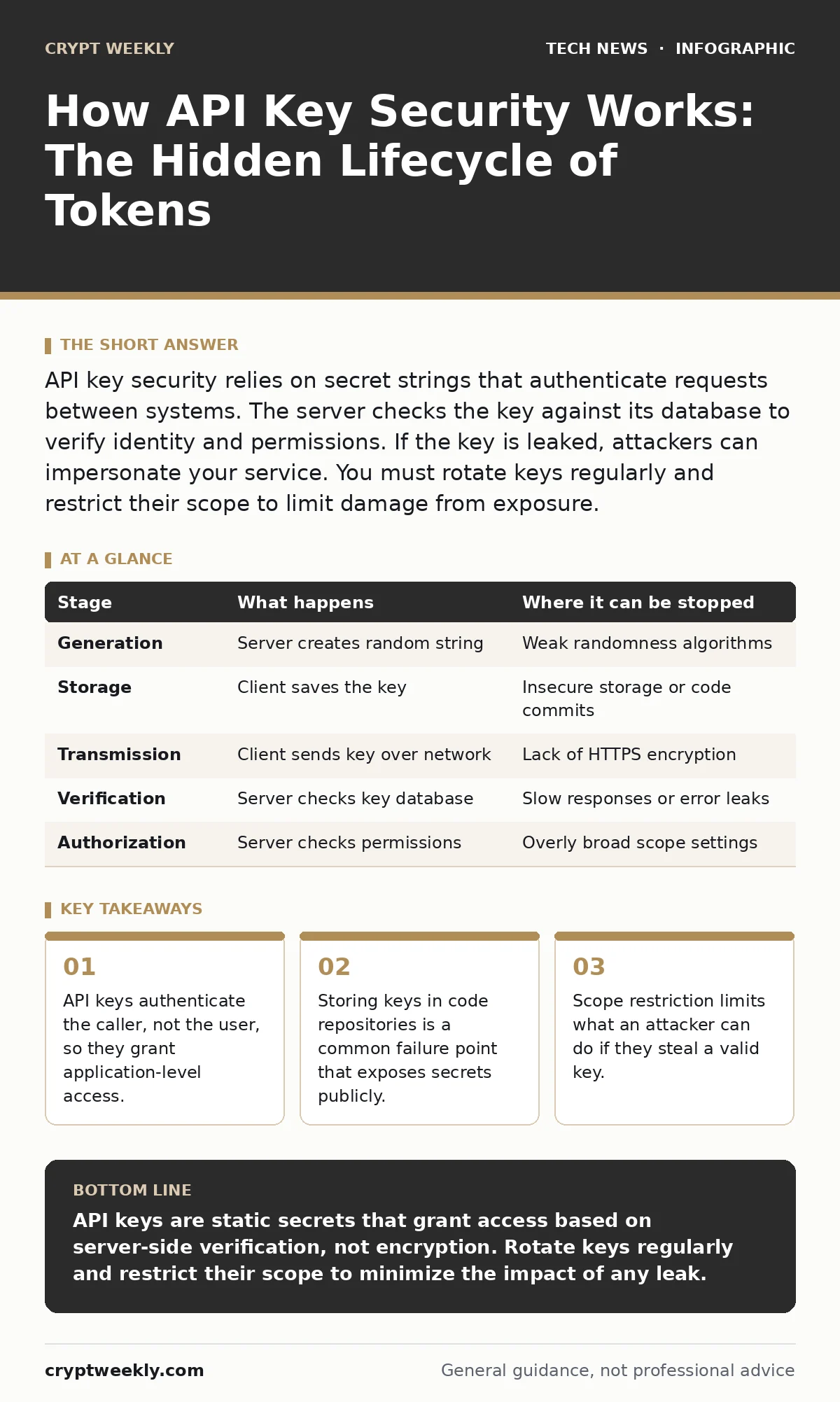
API key security relies on secret strings that authenticate requests between systems. The server checks the key against its database to verify identity and permissions. If the key is leaked, attackers can impersonate your service. You must rotate keys regularly and restrict their scope to limit damage from exposure.
The Anatomy of an API Key
An API key is a unique string of characters that identifies a client application to a server. It functions like a digital badge. When you send a request, you attach this badge so the server knows who is asking for data. Unlike a password, which proves you are a human being, an API key proves your software is authorized to act.
The key itself is not magic. It is usually a random sequence of alphanumeric characters. The security does not come from the key being unreadable. It comes from the key being unknown to anyone except you and the server. If someone sees the key, they can use it. There is no biometric check. There is no two-factor authentication attached to the string itself.
Stage 1: Key Generation and Storage
The lifecycle begins when you register your application with a service provider. The server generates a random string and stores it in its database. It returns this string to you. This is the only time the key is created. The server never sends the raw key again. It only checks future requests against this stored value.
You must store this key securely. Many developers save keys in configuration files or environment variables. This is a standard practice. However, if you commit these files to a public code repository, the key becomes public. Once public, the key is compromised. The server cannot tell if the request comes from your application or an attacker.
Stage 2: Request Transmission
When your application needs data, it constructs an HTTP request. It includes the API key in the header or the query string. The header is the preferred location. It keeps the key out of server logs that might record URL queries. The request travels over the internet to the server.
The connection should use HTTPS. HTTPS encrypts the entire request, including the headers. This prevents anyone on the network from reading the key in transit. If you use plain HTTP, the key travels in cleartext. Any network observer can capture it. Encryption protects the key during travel, but it does not protect it once it reaches the server.
Stage 3: Server-Side Verification
The server receives the request. It extracts the API key from the header. It does not try to decrypt the key. It looks up the key in its secure database. This lookup is the core of the security mechanism. If the key exists, the server checks its status. Is it active? Has it expired? Does it have the right permissions?
This step is fast but critical. If the server is slow or poorly configured, it might leak information. For example, if the server responds with "User not found" for a bad key and "Access denied" for a valid key, an attacker can guess which keys are valid. This is called an enumeration attack. The server must respond with a generic error for any invalid key.
Stage 4: Scope and Permission Check
Finding the key is not enough. The server must check what the key is allowed to do. This is called scope. A key might be allowed to read data but not write it. It might be allowed to access only a specific dataset. The server checks the request against these rules.
If the request matches the scope, the server processes it. If not, it rejects the request. This limits the damage if a key is stolen. An attacker with a read-only key cannot delete your data. This concept aligns with the principles of API security, where least privilege is the norm. You should never grant a key more access than it needs.
See also: What Is Public Key Cryptography: The Asymmetric Security Mechanism · What is the difference between cookies and sessions and how to secure them
The Hidden Costs of Convenience
Convenience often undermines security. Developers want quick access. They create keys with broad permissions. They store keys in places that are easy to access. This creates a hidden cost. The more convenient the key, the more valuable it is to an attacker.
Consider the trade-off between speed and safety. A key that works everywhere is easy to use. It is also easy to abuse. A key that works only for one function is harder to manage. It is also harder to exploit. You must balance these needs. Do not create one master key for your entire application. Create specific keys for specific tasks.
Limits of API Key Security
API keys are not passwords. They do not expire automatically. They do not require a second factor. They are static secrets. If they are leaked, they remain valid until you revoke them. This is a major limitation. You cannot rely on the key itself to stop an attacker.
The security depends on your infrastructure. If your server is misconfigured, the key is useless. If your network is unencrypted, the key is exposed. If your code is public, the key is stolen. You must look at the entire system. This is why operating system hardening and data center security matter. The key is just one piece of the puzzle.
| Stage | What happens | Where it can be stopped |
|---|---|---|
| Generation | Server creates random string | Weak randomness algorithms |
| Storage | Client saves the key | Insecure storage or code commits |
| Transmission | Client sends key over network | Lack of HTTPS encryption |
| Verification | Server checks key database | Slow responses or error leaks |
| Authorization | Server checks permissions | Overly broad scope settings |
Managing the Lifecycle
You must rotate keys regularly. This means creating a new key and deleting the old one. Rotation limits the window of opportunity for an attacker. If a key is stolen, it becomes useless after rotation. You should also monitor usage. Unusual spikes in requests might indicate abuse.
Integrate key management into your development process. Use tools that enforce rotation. Use tools that detect keys in code. This reduces human error. You can learn more about protecting credentials in our guide on certificate management, which shares similar principles of trust and rotation.
The Role of Encryption
API keys are often confused with encryption keys. They are not the same. An API key grants access. An encryption key scrambles data. Public key cryptography uses pairs of keys to secure data. API keys are usually symmetric secrets. They are the same on both ends.
Do not use an API key to encrypt data. Use it only for authentication. If you need to protect data, use TLS or other encryption methods. Mixing these concepts leads to confusion and vulnerabilities. Keep authentication and encryption separate. This clarity helps you build safer systems.
Key takeaways
- API keys authenticate the caller, not the user, so they grant application-level access.
- Storing keys in code repositories is a common failure point that exposes secrets publicly.
- Scope restriction limits what an attacker can do if they steal a valid key.
API keys are static secrets that grant access based on server-side verification, not encryption. Rotate keys regularly and restrict their scope to minimize the impact of any leak.
Frequently asked questions
Can I reuse the same API key for different services?
No. Reusing keys increases risk. If one service is compromised, all other services using that key are also at risk. Use unique keys for each service.
Should I encrypt my API key before storing it?
You should store it in a secure vault or environment variable. Encryption at rest is good practice, but the key must be accessible to your application. Do not encrypt it in a way that makes it unusable.
How do I know if my API key has been leaked?
Monitor your usage logs for unusual activity. Check public code repositories for your key. Use automated tools that scan for exposed secrets. If you suspect a leak, rotate the key immediately.
Are API keys safer than passwords?
They are different tools. Passwords are for humans. API keys are for machines. API keys are easier to automate but harder to revoke. They require strict scope management to be safe.
How this guide was produced: written by the Crypt Weekly editorial team with AI assistance, checked against the public references listed below, and reviewed when the facts change. See our editorial policy or report an error.