Your browser leaks a unique digital signature composed of hardware specs and software settings, allowing sites to track you even without cookies.
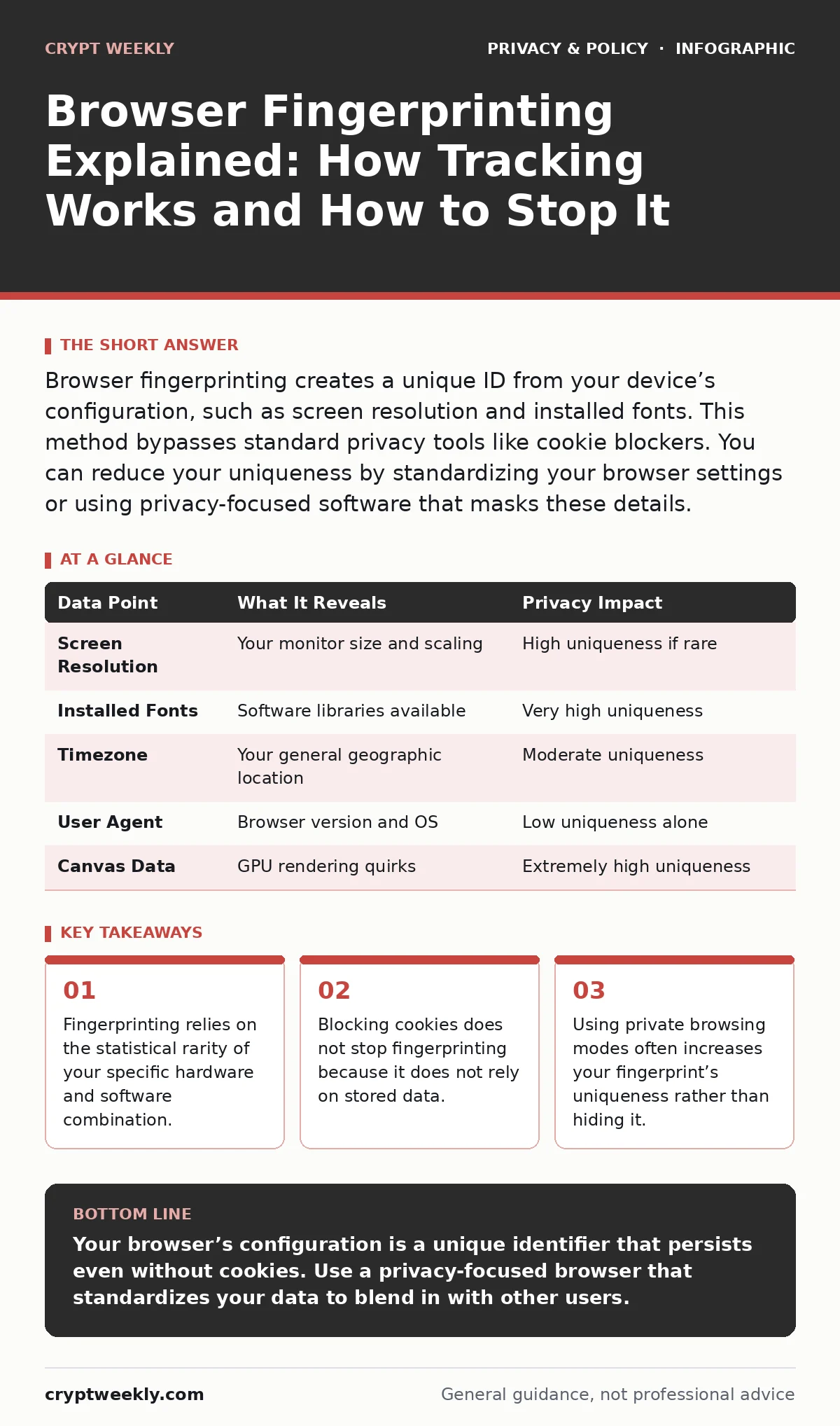
Browser fingerprinting creates a unique ID from your device’s configuration, such as screen resolution and installed fonts. This method bypasses standard privacy tools like cookie blockers. You can reduce your uniqueness by standardizing your browser settings or using privacy-focused software that masks these details.
What is browser fingerprinting?
Browser fingerprinting is a technique that websites use to identify and track you by collecting various technical details about your device and browser. Unlike cookies, which store data on your computer, fingerprinting reads the live configuration of your system. It combines dozens of data points, such as your screen resolution, operating system, and installed fonts, to create a unique identifier. This identifier allows websites to recognize you across different sessions and domains without your explicit permission.
How is fingerprinting different from cookies?
Cookies are small text files that websites save on your device to remember your preferences or login status. You can delete cookies, block them, or clear your history to remove this tracking data. Fingerprinting does not store anything on your machine. Instead, it reads the current state of your browser every time you visit a site. Because it does not rely on stored files, clearing your cache or using incognito mode does not prevent fingerprinting. In fact, private browsing modes can sometimes make your fingerprint more distinct because they disable extensions and plugins that normally add noise to the data.
Why does my browser leak this information?
Websites need to know your browser’s capabilities to render pages correctly. They must know your screen size to fit content, your operating system to serve compatible code, and your language preferences to display text. This information is necessary for the web to function. However, when combined, these standard technical details form a highly specific profile. The more unique your combination of settings and hardware, the easier it is for a tracker to distinguish you from the millions of other users. This is where differential privacy becomes relevant, as it adds statistical noise to data to protect individual identities while preserving overall utility.
Can I see my own browser fingerprint?
You can view a summary of your fingerprint by visiting privacy analysis tools, but these tools cannot show you the exact ID that trackers see. Different websites use different algorithms to collect and hash your data. One site might prioritize your GPU renderer, while another focuses on your timezone and audio context. Because there is no single standard for fingerprinting, your uniqueness score will vary from one test to another. This variability means you cannot rely on a single metric to measure your privacy exposure.
Does using a private window hide my fingerprint?
Private or incognito modes do not hide your fingerprint; they often make it more distinctive. These modes typically disable browser extensions, including privacy tools that mask your data. They also often reset certain settings to defaults, removing the slight variations that help blend you into the crowd. When you browse in private mode, your browser looks more like a stock, unmodified installation. This uniformity makes it easier for trackers to isolate your session from your normal browsing behavior. For better protection, consider how cookie consent management tools handle these modes, as they often fail to block fingerprinting scripts even when you decline cookies.
See also: Public Wi-Fi Finder Apps Exposed and How They Track You
How do browsers try to stop fingerprinting?
Modern browsers implement various features to reduce the amount of unique data they expose. These include limiting the precision of time-based data, blocking access to certain hardware sensors, and randomizing some values. However, these measures are often incomplete. A determined tracker can still combine the remaining data points to form a reliable identifier. Some browsers also use end-to-end encryption for specific data channels, but this does not hide the metadata about your device that is required to establish the connection. The trade-off here is between web compatibility and privacy; masking too much data can break websites.
| Data Point | What It Reveals | Privacy Impact |
|---|---|---|
| Screen Resolution | Your monitor size and scaling | High uniqueness if rare |
| Installed Fonts | Software libraries available | Very high uniqueness |
| Timezone | Your general geographic location | Moderate uniqueness |
| User Agent | Browser version and OS | Low uniqueness alone |
| Canvas Data | GPU rendering quirks | Extremely high uniqueness |
Why is the Canvas element dangerous for privacy?
The HTML Canvas element allows websites to draw graphics, such as charts or games, using JavaScript. Websites can ask your browser to draw a complex, invisible graphic and then read the resulting pixel data. Because different graphics cards and drivers render pixels slightly differently, this output is unique to your hardware. This method, known as Canvas fingerprinting, is highly effective because it bypasses most traditional privacy settings. It reveals detailed information about your GPU and drivers, which are rarely changed by users.
How can I reduce my fingerprint’s uniqueness?
The most effective way to reduce your fingerprint is to join a large group of users with identical configurations. Privacy-focused browsers achieve this by forcing all users to report the same common hardware and software values. This makes it impossible for a tracker to distinguish you from thousands of others. You can also install common fonts and use standard screen resolutions to blend in. Avoid customizing your browser with rare extensions, as each extension adds a unique marker to your profile. This approach aligns with principles found in biometric data protection, where the goal is to prevent re-identification.
Does changing my IP address help?
Changing your IP address using a VPN or proxy hides your physical location, but it does not change your browser’s fingerprint. Your screen resolution, fonts, and GPU renderer remain the same regardless of your network connection. If you switch IPs but keep the same browser configuration, trackers can still link your new IP to your old identity. To truly anonymize yourself, you must change both your network address and your browser’s reported characteristics. This is why cross-border data transfers regulations often focus on data minimization, as reducing the data collected reduces the risk of re-identification.
What is the trade-off between privacy and usability?
Maximizing privacy often requires breaking parts of the web. Blocking fingerprinting scripts can prevent websites from loading correctly, as some rely on this data for security checks or content delivery. You may find that certain banking sites, streaming services, or government portals refuse to work with heavily modified browsers. You must decide how much privacy you are willing to sacrifice for convenience. For most users, the balance lies in using a browser that automatically handles these trade-offs. If you rely on email tracking pixels for work, be aware that these can also contribute to your profile, though they are less detailed than full browser fingerprints.
Key takeaways
- Fingerprinting relies on the statistical rarity of your specific hardware and software combination.
- Blocking cookies does not stop fingerprinting because it does not rely on stored data.
- Using private browsing modes often increases your fingerprint’s uniqueness rather than hiding it.
Your browser’s configuration is a unique identifier that persists even without cookies. Use a privacy-focused browser that standardizes your data to blend in with other users.
Frequently asked questions
Can I delete my browser fingerprint?
No, because it is not stored data. It is generated in real-time from your device’s hardware and software settings.
Do mobile browsers get fingerprinted?
Yes, mobile devices are fingerprinted using screen size, battery level, and sensor data, though the methods differ slightly from desktop browsers.
Is fingerprinting legal?
Laws vary by region, but many regulations require transparency about tracking. However, the technical ability to fingerprint exists regardless of legal restrictions.
Can I use two-factor authentication to stop fingerprinting?
No, two-factor authentication secures your account login but does not hide your browser’s technical characteristics from trackers.
How this guide was produced: written by the Crypt Weekly editorial team with AI assistance, checked against the public references listed below, and reviewed when the facts change. See our editorial policy or report an error.